Vizop - The next-gen PHA software

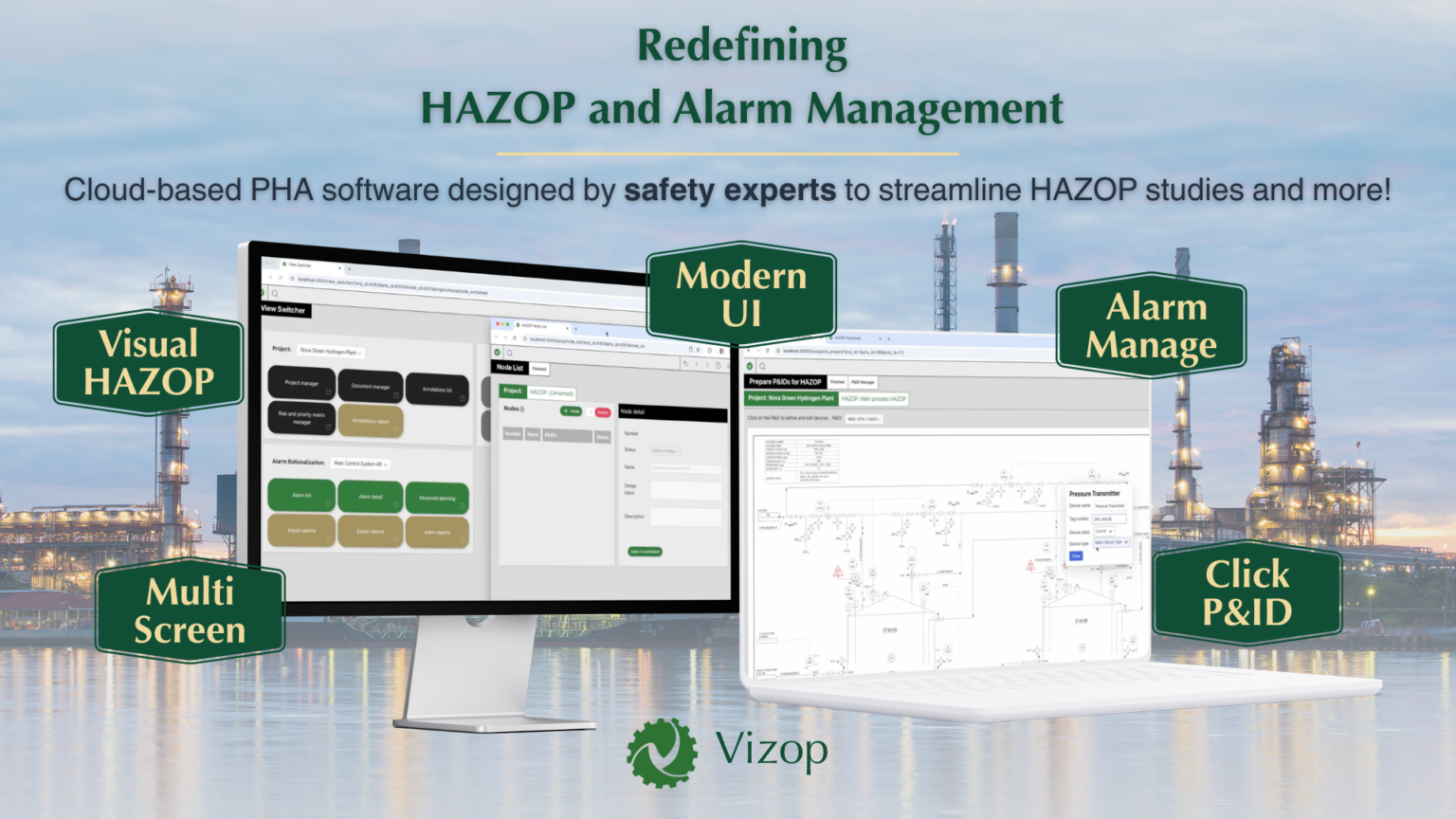
Redefining HAZOP, HAZID, CHAZOP, Alarm Management, and more!

A modern browser-based Process Hazard Analysis (PHA) software designed by safety experts for safety experts. Eliminate documentation friction, prevent costly project delays, and focus on safety analysis rather than paperwork.

What Makes Vizop a Game-Changer?

基於瀏覽器的 WebApp:可多視窗操作、跨裝置支援、可縮放與延展、便於攜帶
直覺式使用者介面與體驗(UI/UX)
由安全專家為安全專家設計
支援與市場上其他應用程式的資料轉換與相容性
減少輸入與點擊 — 在 P&ID 上點擊幾下即可自動填入表單
整合 P&ID 操作 — 可直接於圖上作業並與 HAZOP 表格動態連結
合理授權費用與高效性價比

未來擴充性高 — 即將支援更多 PHA 方法,包含自動資料轉換與 AI 功能,支援 HAZOP 以外的其他研究。.

Click Less, Analyze More

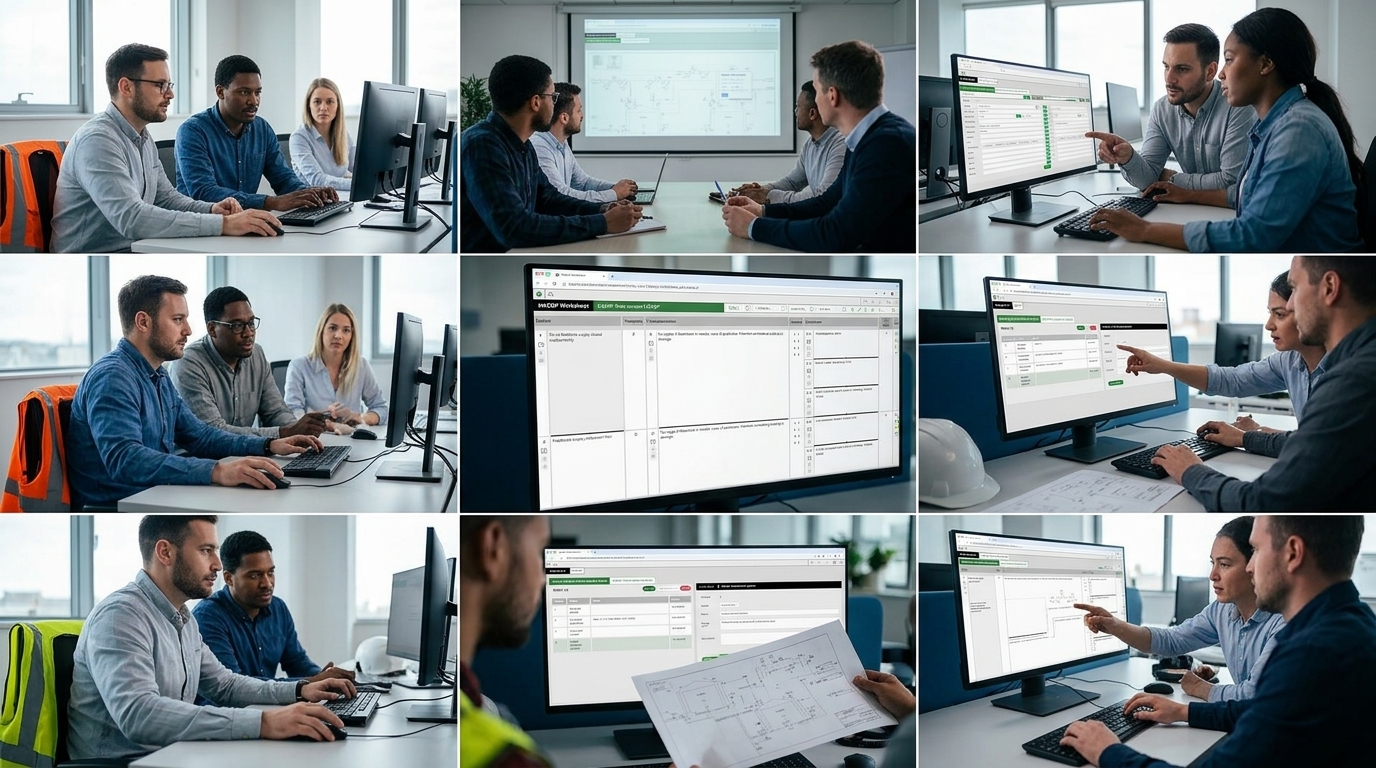
Traditional HAZOP software and spreadsheets force engineers to analyze designs on a P&ID while manually typing results into separate worksheets.

Vizop changes this workflow.

The name Vizop comes from Visual HAZOP
— a method that directly links the P&ID diagram to the HAZOP worksheet, allowing users to move seamlessly between the process diagram and the analysis.

  • Direct P&ID Integration

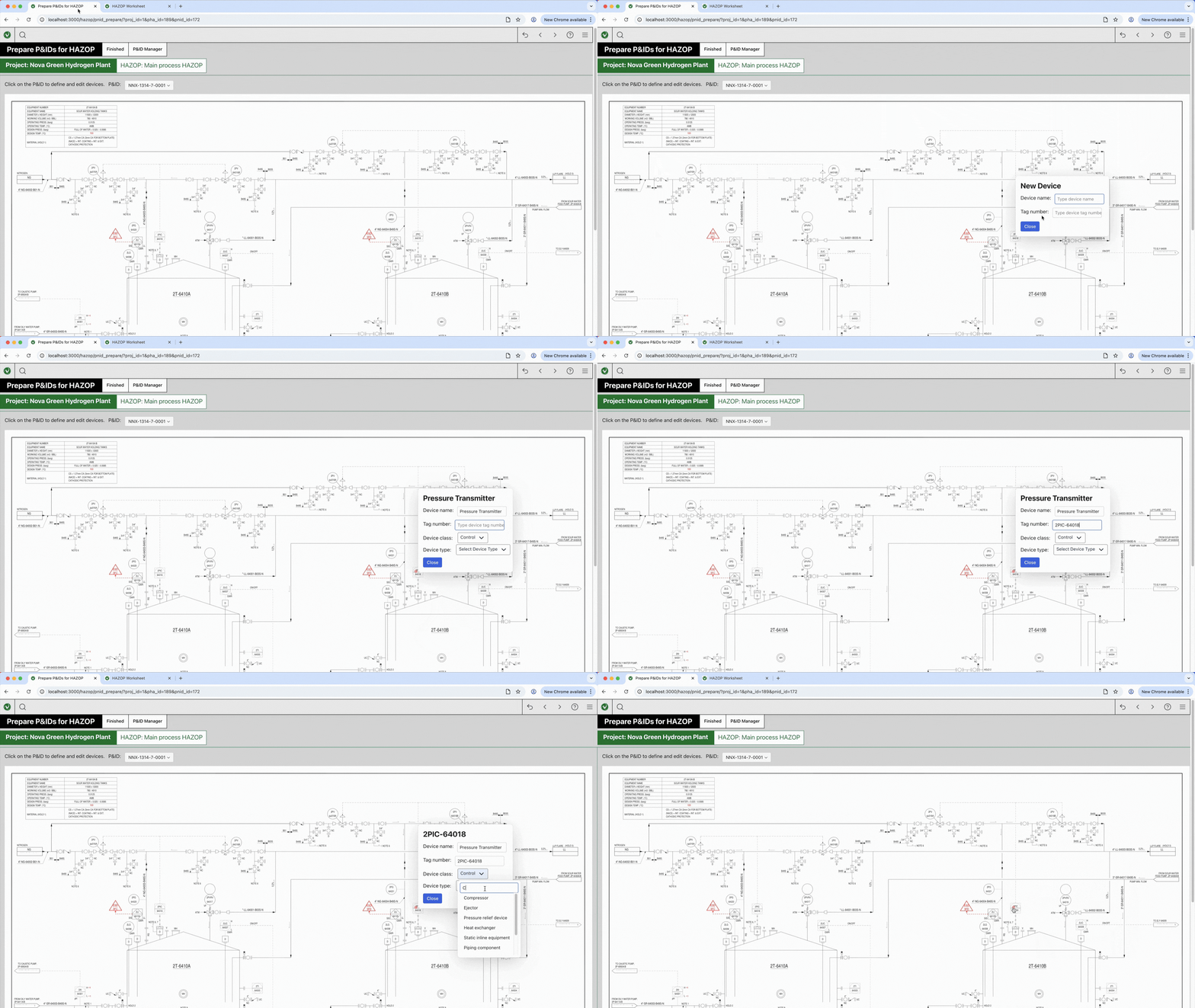
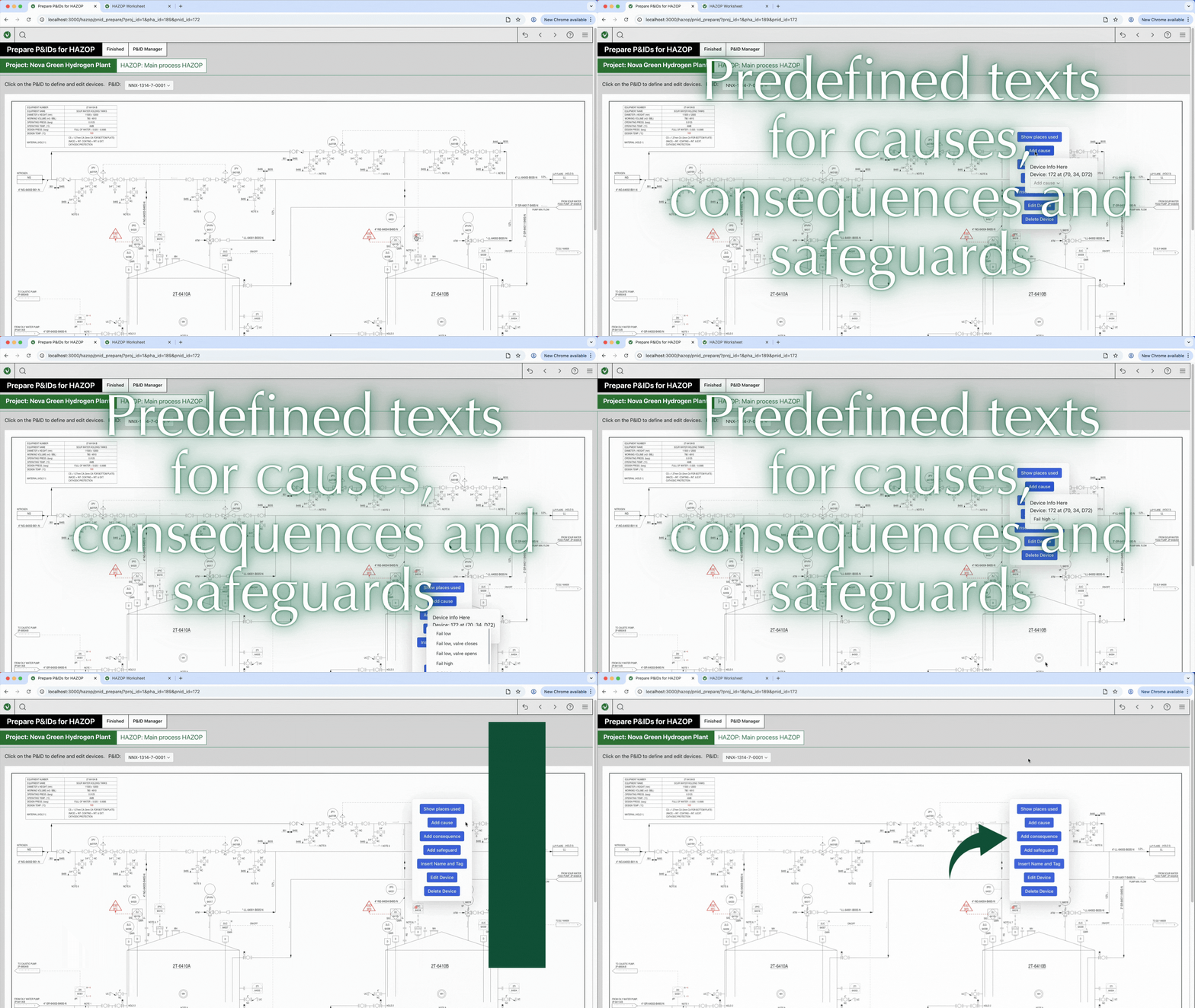
    Click directly on a P&ID device (for example a pump or pressure transmitter) to automatically transfer its name and tag number into the worksheet in just two clicks.

  • Built-in Knowledge Base

    Populate worksheets instantly using a built-in database containing over 1,000 typical HAZOP scenarios, including common causes, consequences, and safeguards.

  • Bidirectional Search

    Click a device on the P&ID to instantly see where it appears in the worksheet ; Click the device in the worksheet to immediately view its location on the P&ID.

Vizop replaces legacy desktop PHA tools and cumbersome spreadsheets with a modern browser-based workflow designed for collaborative HAZOP workshops.

  • Multi-Screen Workflow

    Open multiple browser tabs or windows and distribute them across several monitors or projectors during workshops.

  • Dynamically Linked Windows

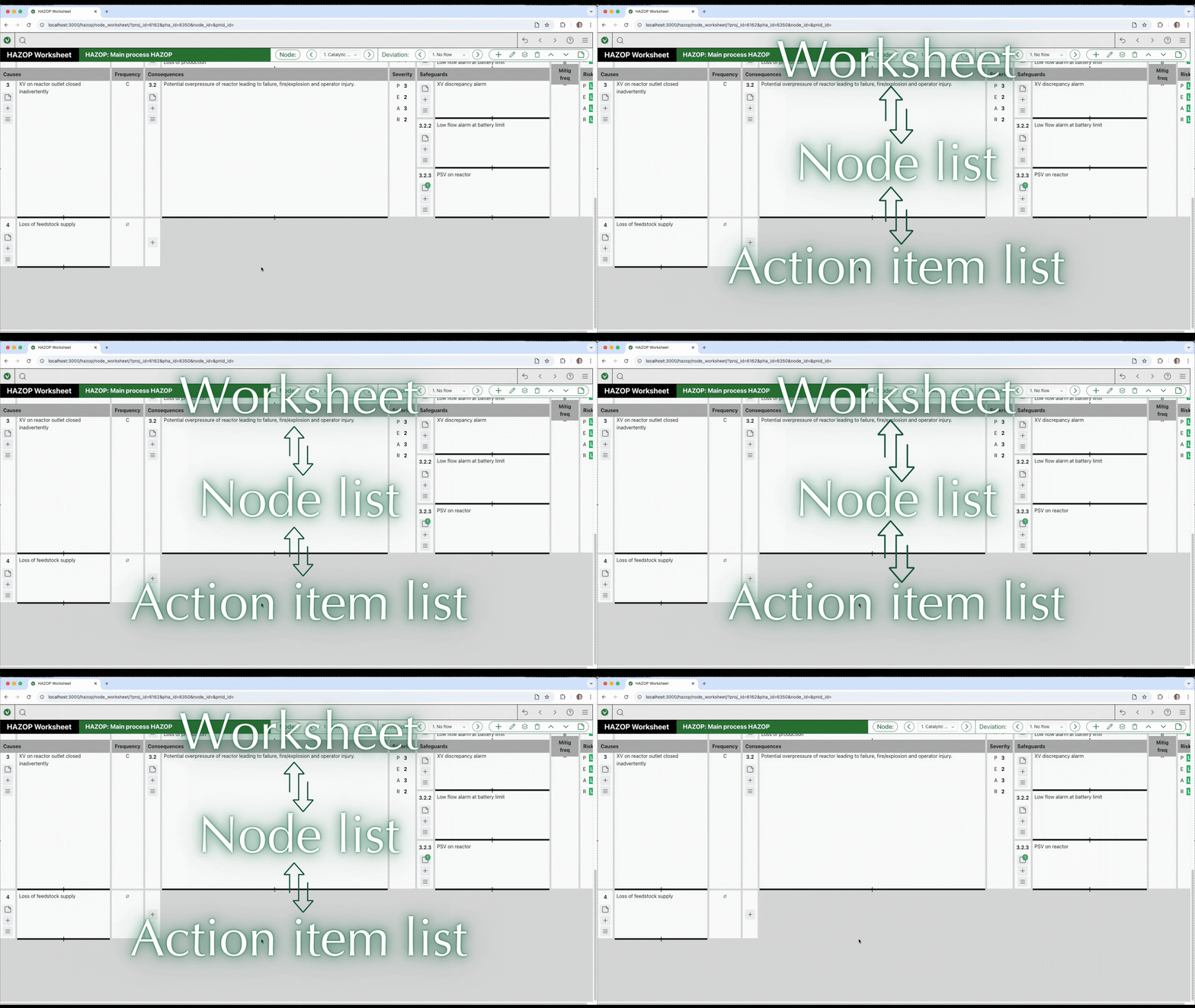
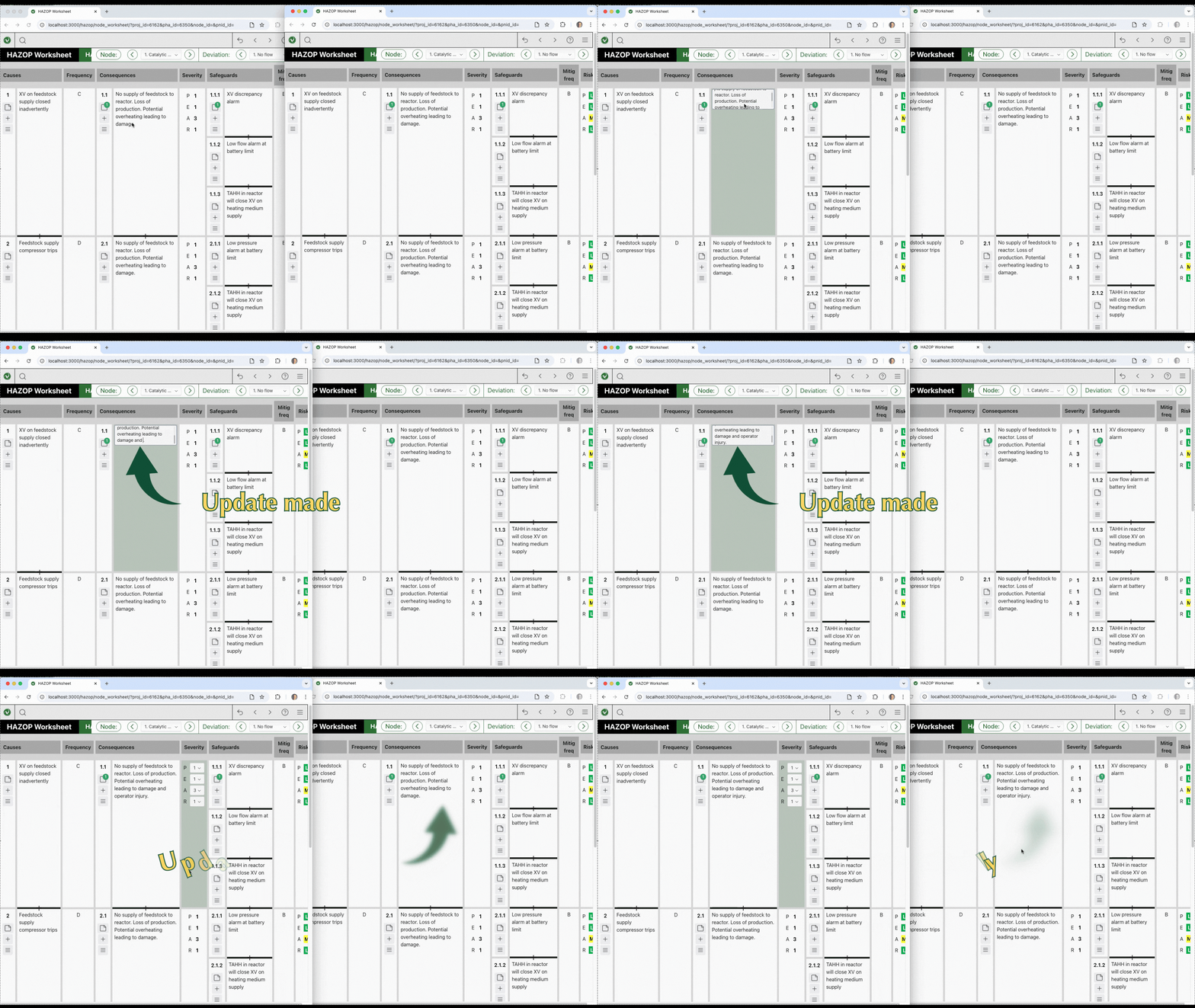
    Update a node in one window and all other windows update automatically. Teams can discuss one issue while the scribe reviews another node simultaneously.

  • Rapid Navigation

    Move instantly between nodes, worksheets, and action item lists using simple forward and back navigation.

  • “Visual HAZOP” via Direct P&ID Integration: Instead of manually typing out tags, users can click directly on a Piping and Instrumentation Diagram (P&ID) to define a device (like a pump or sensor). In just two clicks, the device’s name and tag number are transferred to the worksheet.
  • Built-in Scenario Database: Vizop includes a database of over 1,000 typical scenarios. With one click, it can automatically populate the worksheet with predefined texts for causes, consequences, and safeguards.
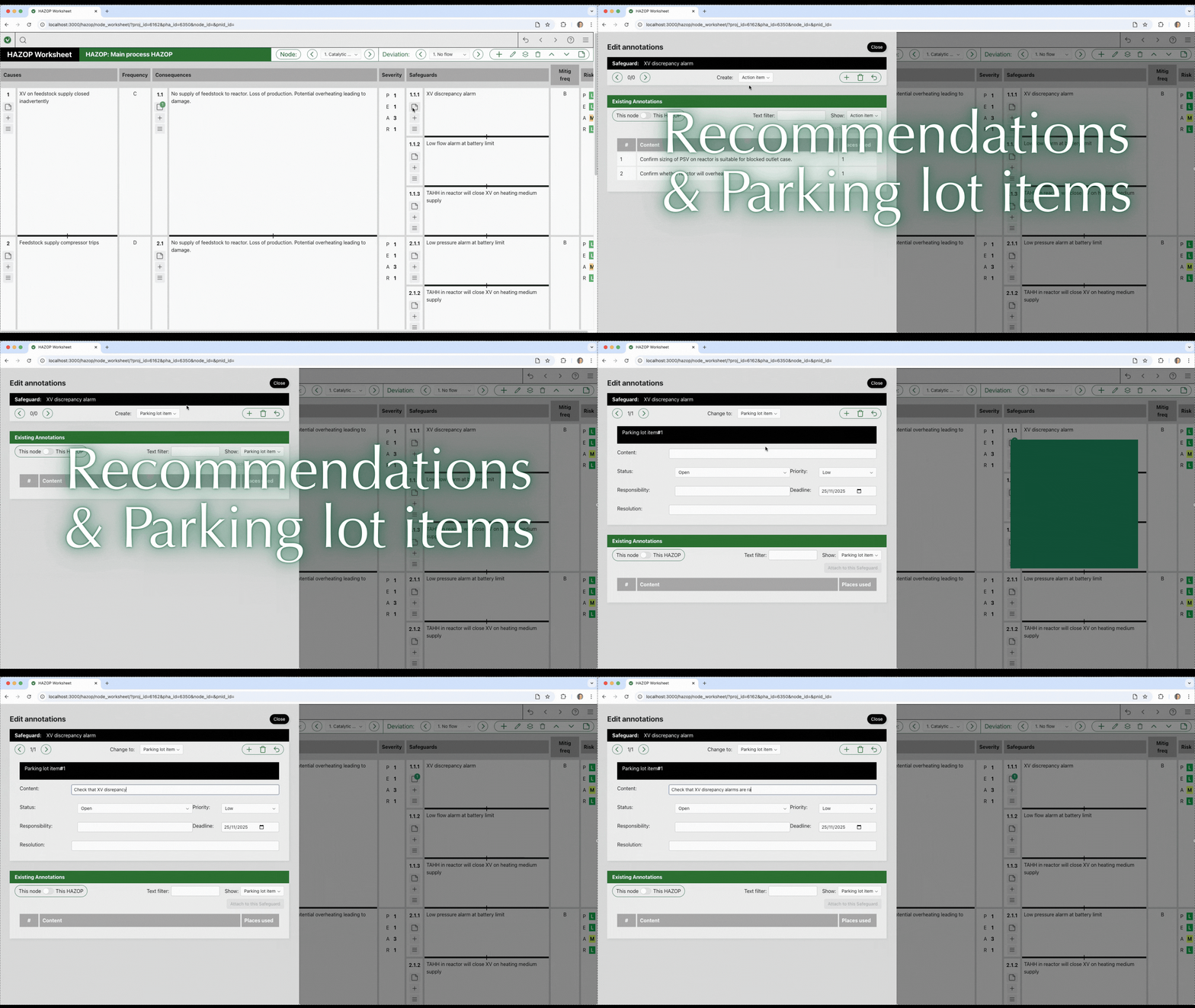
  • Comprehensive Annotations: Action items (recommendations), parking lot items, hold items, and assumptions can be directly attached to any element in the worksheet (such as a specific cause or consequence).
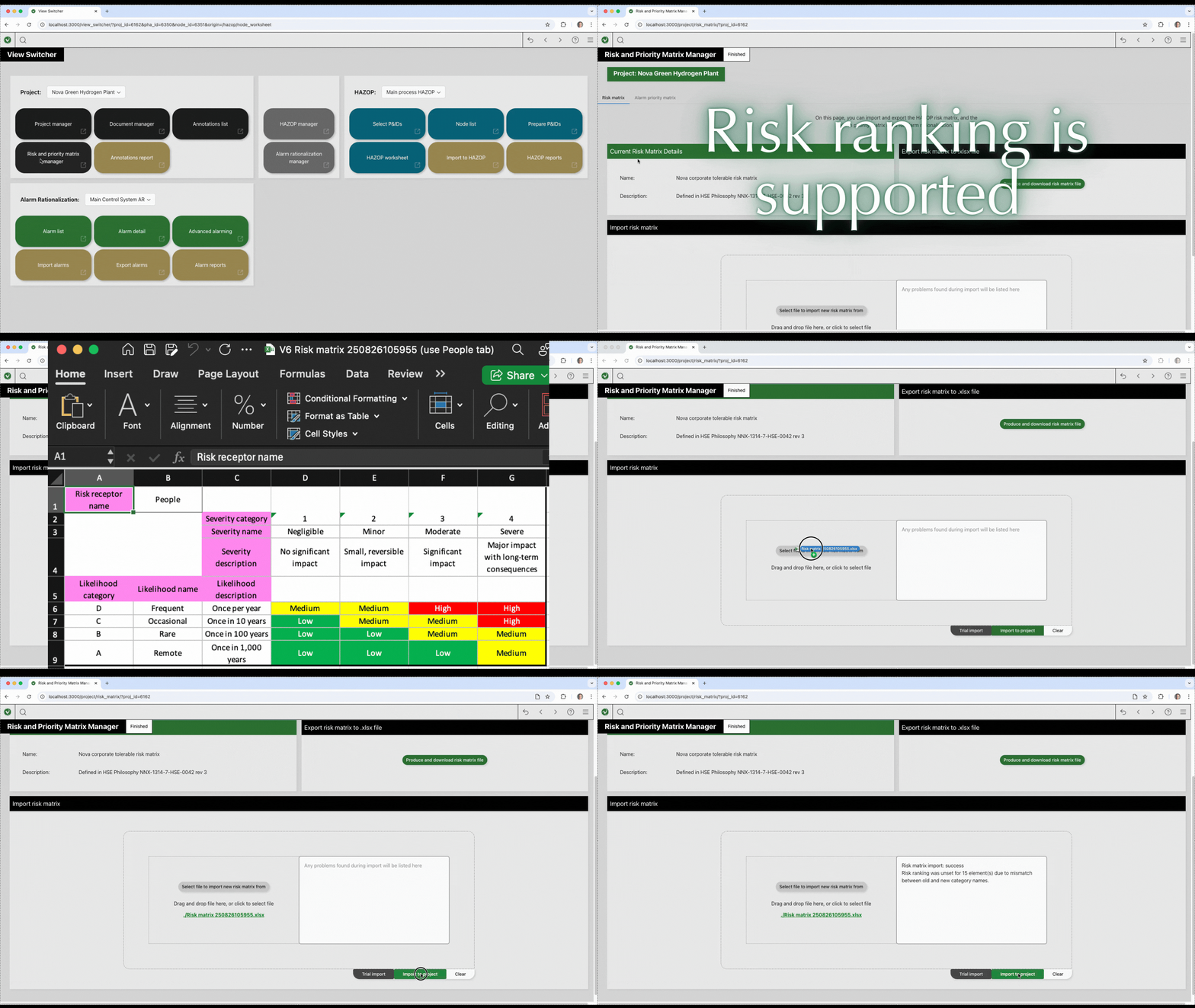
  • Customizable Risk Ranking: Users can easily set up and import Risk Matrices and Priority Matrices from Excel to assign likelihood, severity, and risk levels to different scenarios.
  • Massive Scale Handling: The software effortlessly imports and manages huge databases of over 10,000 alarms with zero lag or delay. It automatically handles complex imports, even when multiple alarms are listed on a single spreadsheet row.
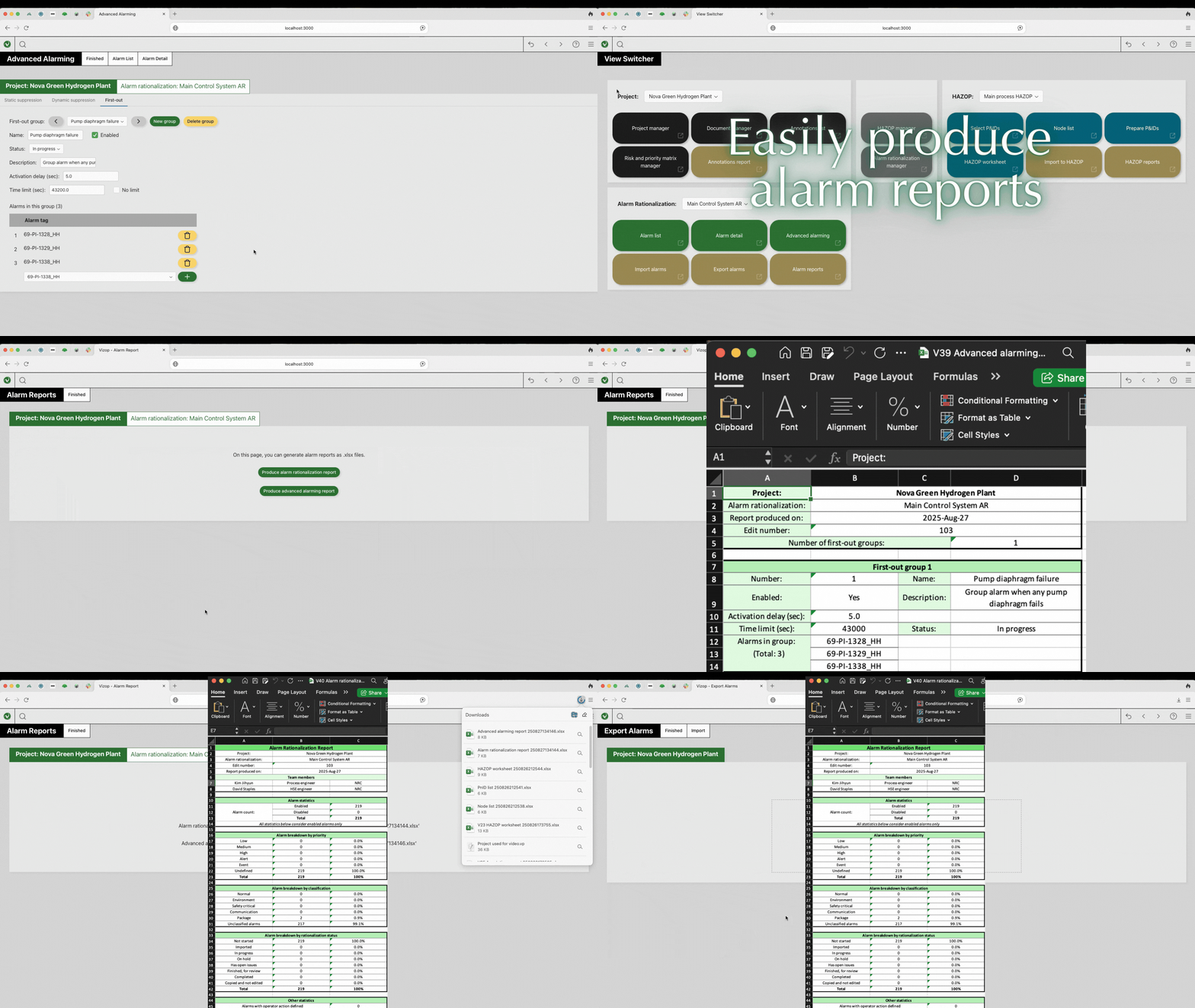
  • Advanced Alarming: Vizop fully supports setting up complex alarm behaviors designed to prevent operator fatigue, including static and dynamic (flood) suppression, first-out groups, eclipsing, and shelving.
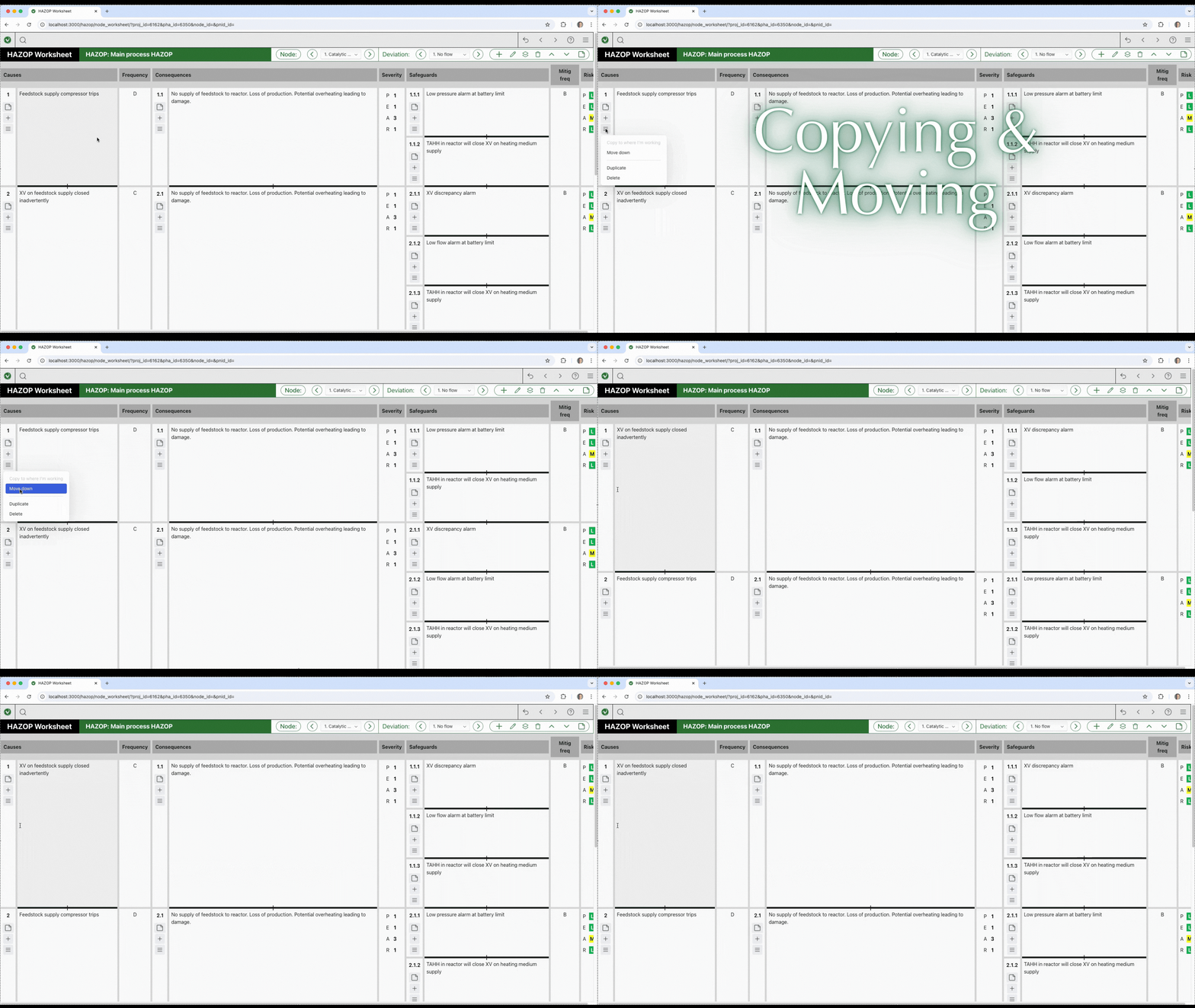
  • Bulk Editing: It features powerful tools to copy individual parameters from one alarm to many others simultaneously, drastically speeding up the alarm review process
  • Fail-Safe Autosave:  The software continuously autosaves every edit in the background to prevent data loss due to crashes or power outages.
  • Flexible Licensing: The platform uses an online, dongle-free licensing system, but also offers emergency offline codes for remote sites.
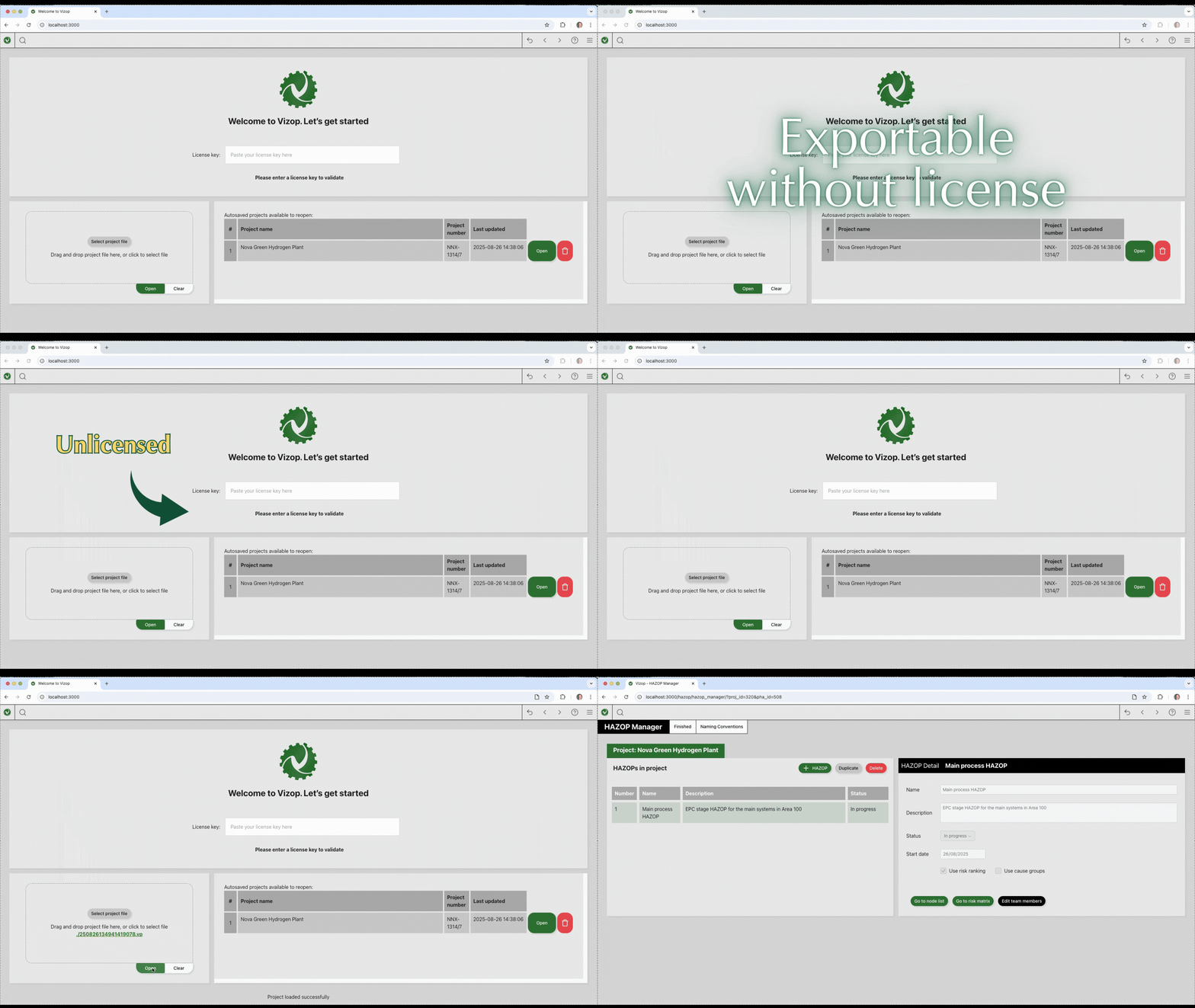
  • Total Data Retention: If a user’s license expires, Vizop switches to an “unlicensed mode.” Users can still open projects, view data, and export reports, ensuring their data is never locked away.

Software That Works For You

Engineering software should make your work easier, not more complicated. Vizop was designed with simple licensing and full data ownership in mind.

  • Dongle-Free Licensing

    Vizop uses a straightforward online license validation system, eliminating the need for hardware dongles, complex license files, or IT-heavy installations. Start the software quickly and focus on your analysis.

  • Cloud-based App

    Running on an old/unstable computer? Worry-free as Vizop is a cloud-based app which will autosave all your edits instantly on our secured server and can run everywhere as long as there's internet access.

  • You Always Own Your Data

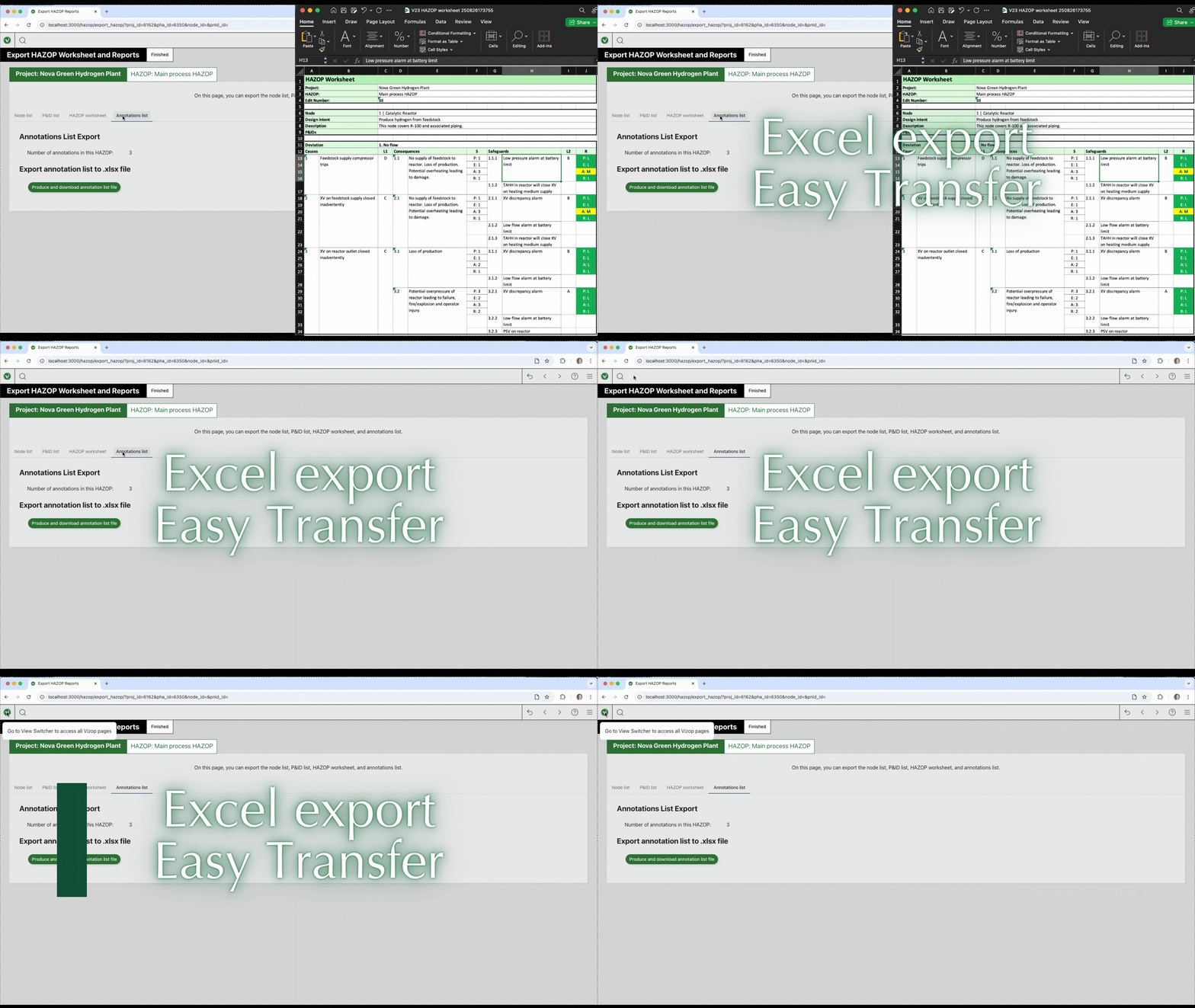
    Your project data always remains accessible to you. Vizop can generate fully formatted Excel reports instantly, ready for documentation and archiving. Even if your license expires, you will still be able to open projects, view all information, and export your data whenever needed.

為什麼選擇 Vizop?

想要瞭解更多?

Vizop 與傳統 PHA 工具的比較

讓正確的事更容易做到

Vizop 不僅是一項工具,更是 xSeriCon 致力於提升 PHA 服務品質的體現。.
 
我們的開發團隊由 Clarke 博士領導,與現場團隊的工作需求有著深厚的聯繫 更快、更聰明、更少管理上的麻煩。
Vizop - 重新定義 HAZOP 與警報管理:

由業界專家設計,為實務操作而生
克服舊型 PHA 工具的限制
由擁有數十年實務經驗的業界專家設計
Vizop 的功能和優勢

我們開發 Vizop,是因為傳統的安全分析流程 往往被過時的工具、複製貼上的試算表與繁瑣的格式工作拖慢。 我們知道安全工程師需要的是一個現代化的環境:專為消除摩擦而設計的環境 而不犧牲合規性或嚴謹性。

Vizop 是精密工程與以使用者為中心的設計的完美結合。它可以幫助團隊專注於 事關重要:識別風險、做出正確的決策,並清楚記錄這些決策 - 而不是與工具爭執。.

點擊從 P&ID 創建

直接點選 P&ID 建立您的 HAZOP 工作表 - 無須輸入多餘的設備標籤號碼
以瀏覽器為基礎的彈性

可從桌上型電腦、平板電腦或筆記型電腦存取;提供可縮放、可擴充的介面,支援多視窗便利性

即時協作

分散式團隊的理想選擇-工作以協作方式進行,並可跨地點進行工作坊控制

可用性設計

設計讓傳統使用者(舊有 PHA 工具)感到熟悉,但以精簡的現代使用者介面進行最佳化

高度擴充性平台(支援 AI 與自動化工作流程)

專為擴充而建:即將推出的功能包括 AI 支援、數位孪生以及其他安全研究的更多整合工作流程

全面支援

您可以從 xSeriCon 的客戶支援、全面的使用者指南以及我們的訓練服務中,獲得所有需要的協助。

Vizop 提供更多功能,協助您快速準確地工作

使用者指南

xSeriCon 的 Vizop 綜合指南包括所有「如何?.

觀看影片

當我們引導您瞭解 Vizop 便捷且強大的功能時,您就會看到 Vizop 的實際應用。.

聯絡我們

請按這裡聯絡 xSeriCon 並索取免費試用授權。.

常見問題

What exactly is Vizop?

Vizop is a modern Process Hazard Analysis (PHA) software tool used to document studies such as HAZOP, CHAZOP, HAZID, and Alarm Rationalization. It replaces legacy desktop software and spreadsheets with a modern browser-based workflow.

How does Vizop speed up HAZOP workshops?

Vizop connects P&IDs directly to worksheets, allowing engineers to click devices and automatically transfer tag information into the analysis. The built-in knowledge base also provides over 1,000 predefined scenarios to accelerate documentation.

Can Vizop support multi-screen workshop setups?

Yes. Because Vizop runs in a browser, multiple windows or tabs can be opened across multiple screens or projectors. All windows remain dynamically linked.

Can existing HAZOP or alarm data be imported?

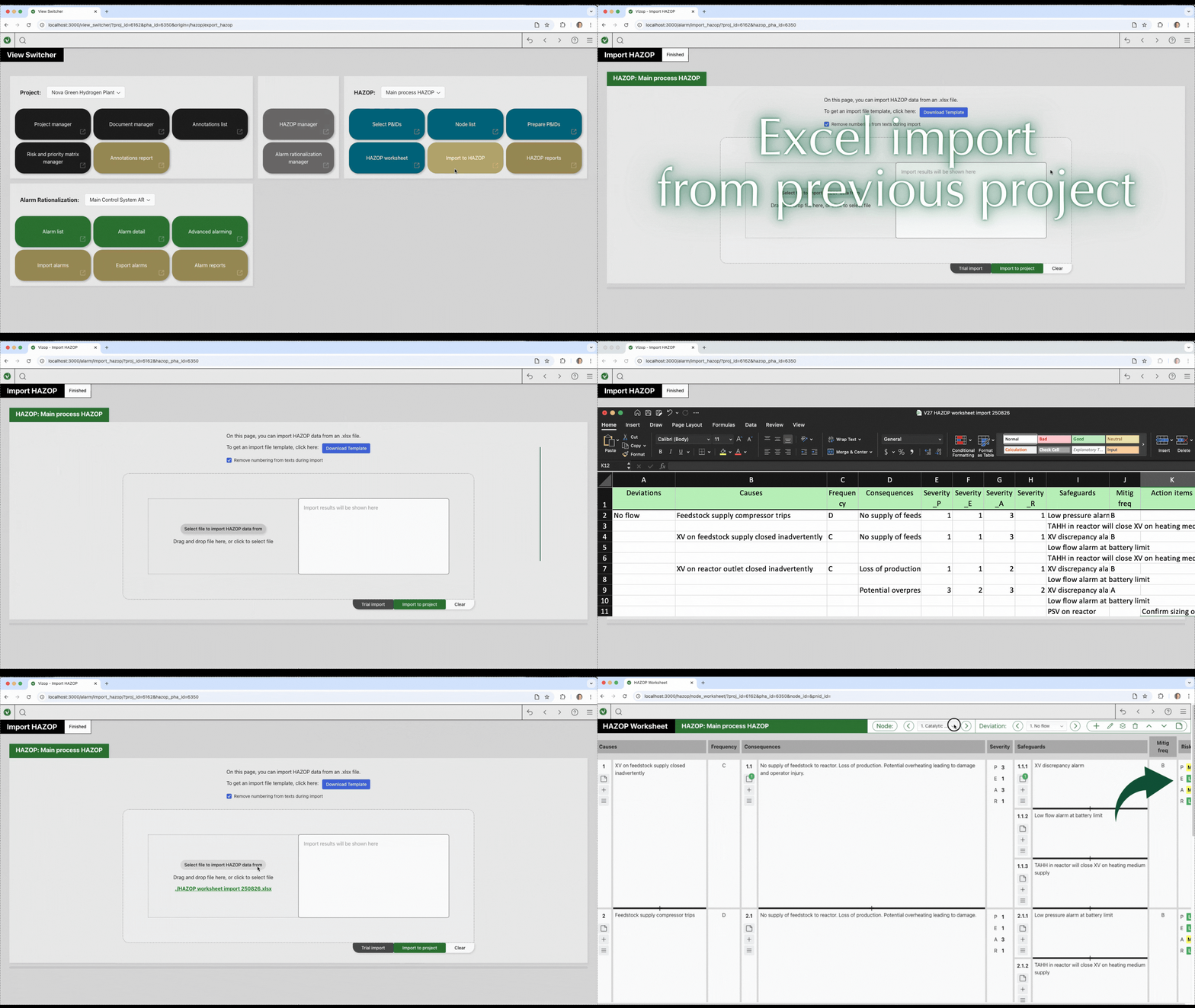
Yes. Vizop can import existing Excel-based HAZOP worksheets and alarm databases, including recommendations and risk rankings.

Can we import and use our company's custom Risk Matrix?

Yes. Vizop understands that every company evaluates risk differently. You can easily download an Excel template, edit it to match your company’s exact likelihood, severity, and risk categories, and import it directly back into Vizop to ensure full compliance with your internal standards.

How does Vizop handle action items and workshop notes without cluttering the worksheet?

Instead of forcing you to squeeze notes into rigid spreadsheet columns, Vizop uses a flexible “Annotations” system. You can seamlessly attach Action Items (recommendations), Parking Lot items, Hold items, Assumptions, and general comments directly to any specific element in your study, such as a cause or a consequence.

Does Vizop lock my data if my subscription or license expires?

Never. We believe your data is always yours. If your license expires, Vizop simply switches into an “Unlicensed Mode”. In this mode, you can still open all your existing projects, view your data, and export your reports to Excel without any restrictions.

Can Vizop handle massive alarm databases for our plant upgrades?

Yes, Vizop is engineered for massive scale. Whether you are rationalizing 10 alarms or over 10,000, Vizop imports them from your spreadsheets in a few clicks and continues to run smoothly with zero lag or delay. It also includes powerful bulk-editing features to copy settings across multiple alarms instantly.

Will I need to spend hours reformatting my reports for the final Word document?

No. At the end of your study, Vizop exports your HAZOP worksheets, Node lists, Annotation lists, and Alarm Rationalization statistics directly into Excel files that are pre-formatted for an A4 page size. You can paste them into your final Word reports in seconds with zero reformatting required.

歡迎訂閱 xSeriCon 電子報

取得第一手的 xSeriCon 最新消息、文章/白皮書、網路研討會等資訊!