

Vizop - The next-gen PHA software
Redefining HAZOP, HAZID, CHAZOP, Alarm Management, LOPA, and more!
A modern browser-based Process Hazard Analysis (PHA) software designed by safety experts for safety experts. Eliminate documentation friction, prevent costly project delays, and focus on safety analysis rather than paperwork.
What Makes Vizop a Game-Changer?
Designed by Safety Experts, For Safety Experts
Vizop will extend to more PHA techniques soon – Future versions will support other studies beyond HAZOP with automatic data transfer and AI capabilities.
Click Less, Analyze More
Traditional HAZOP software and spreadsheets force engineers to analyze designs on a P&ID while manually typing results into separate worksheets.
Vizop changes this workflow.
The name Vizop comes from Visual HAZOP
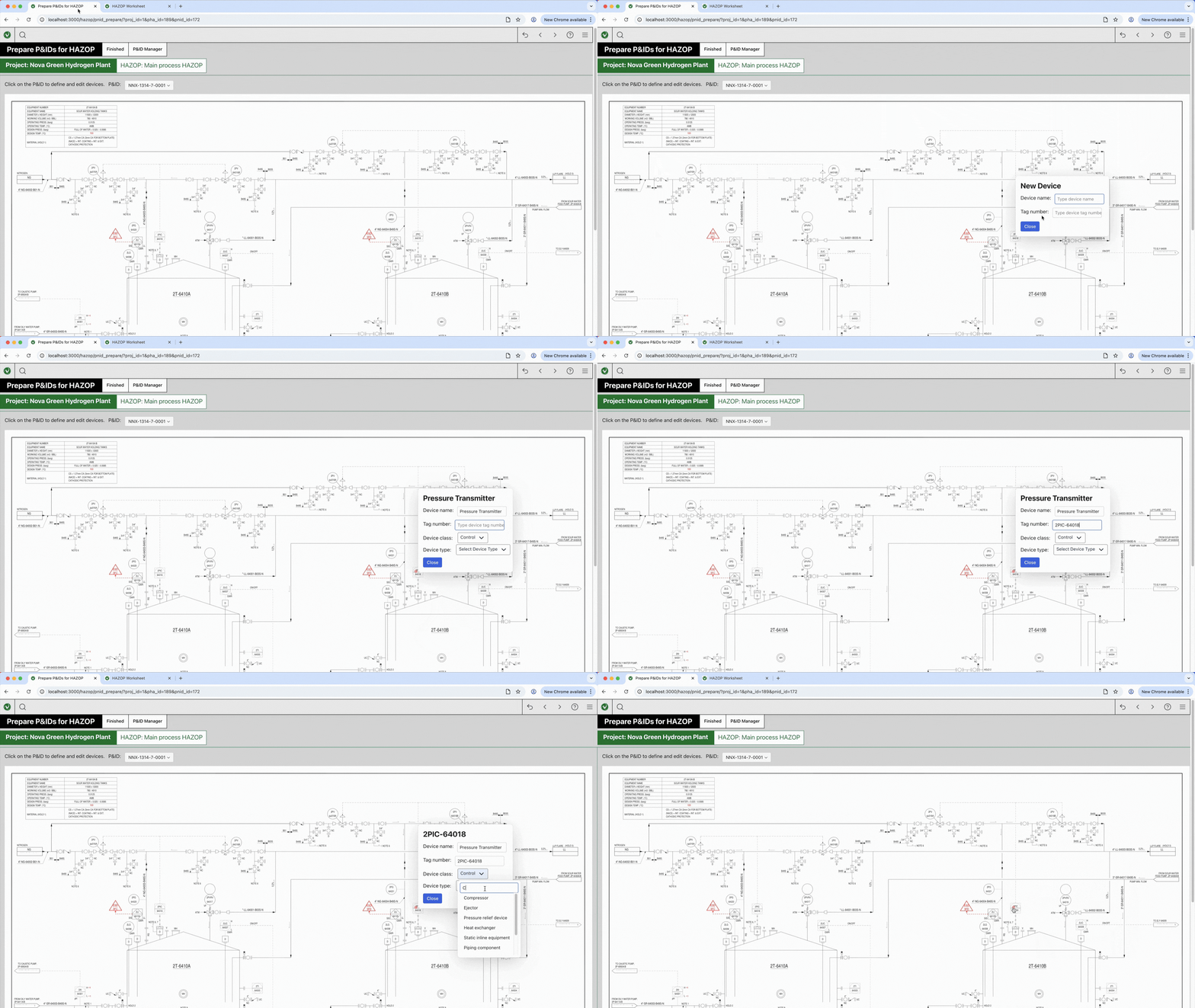
— a method that directly links the P&ID diagram to the HAZOP worksheet, allowing users to move seamlessly between the process diagram and the analysis.
-
Direct P&ID Integration
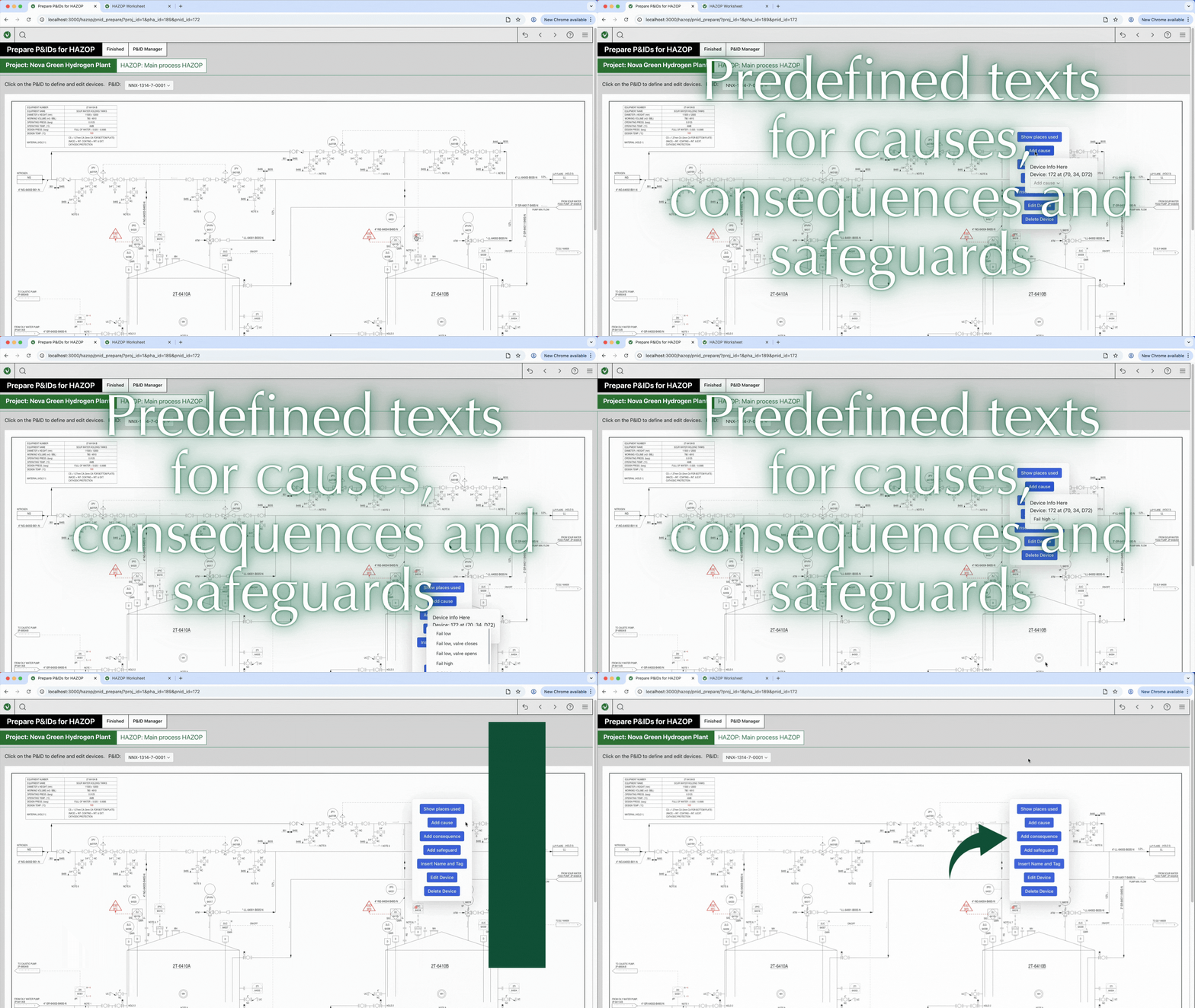
Click directly on a P&ID device (for example a pump or pressure transmitter) to automatically transfer its name and tag number into the worksheet in just two clicks.
-
Built-in Knowledge Base
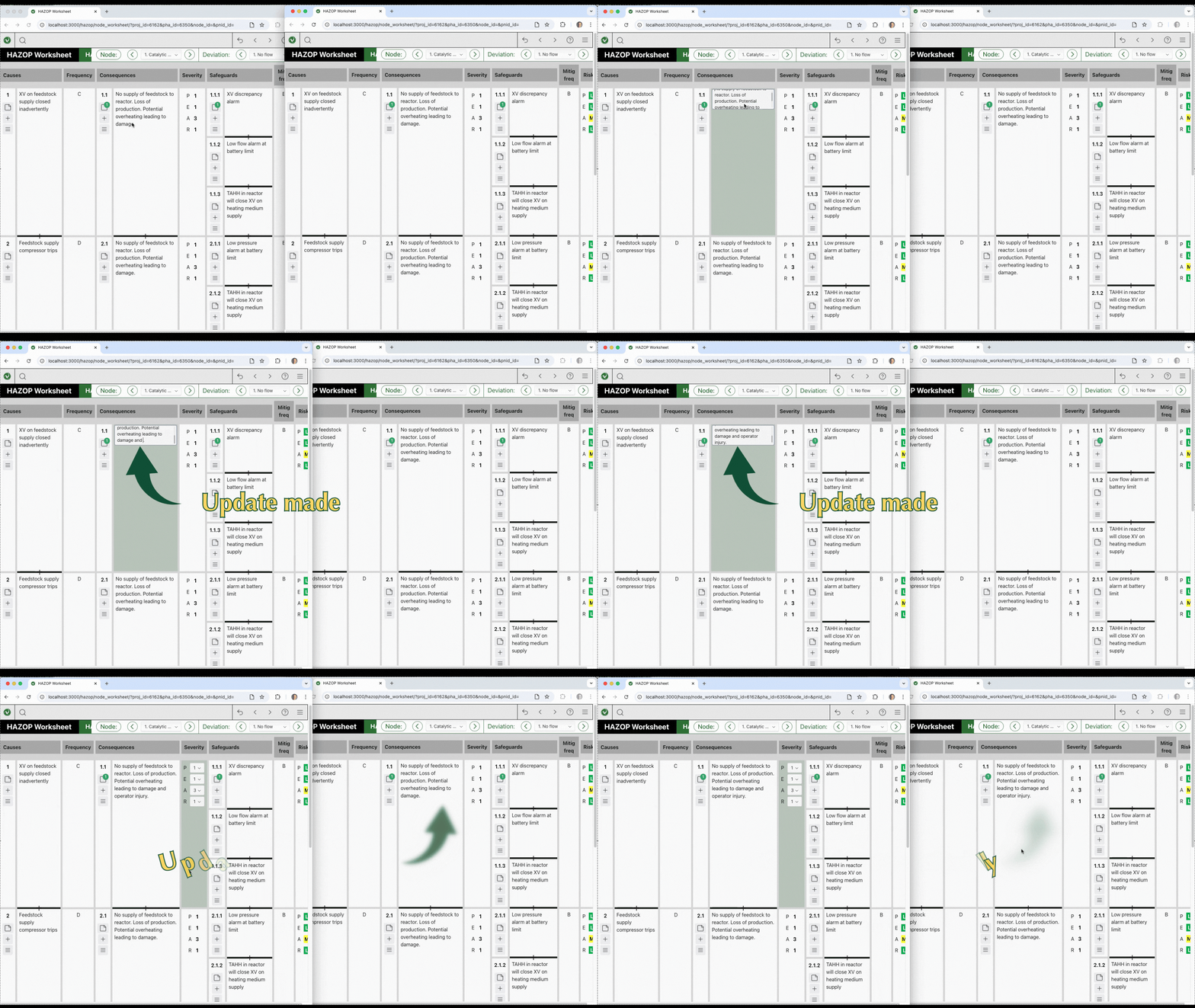
Populate worksheets instantly using a built-in database containing over 1,000 typical HAZOP scenarios, including common causes, consequences, and safeguards.
-
Bidirectional Search
Click a device on the P&ID to instantly see where it appears in the worksheet ; Click the device in the worksheet to immediately view its location on the P&ID.
Vizop replaces legacy desktop PHA tools and cumbersome spreadsheets with a modern browser-based workflow designed for collaborative HAZOP workshops.
-
Multi-Screen Workflow
Open multiple browser tabs or windows and distribute them across several monitors or projectors during workshops.
-
Dynamically Linked Windows
Update a node in one window and all other windows update automatically. Teams can discuss one issue while the scribe reviews another node simultaneously.
-
Rapid Navigation
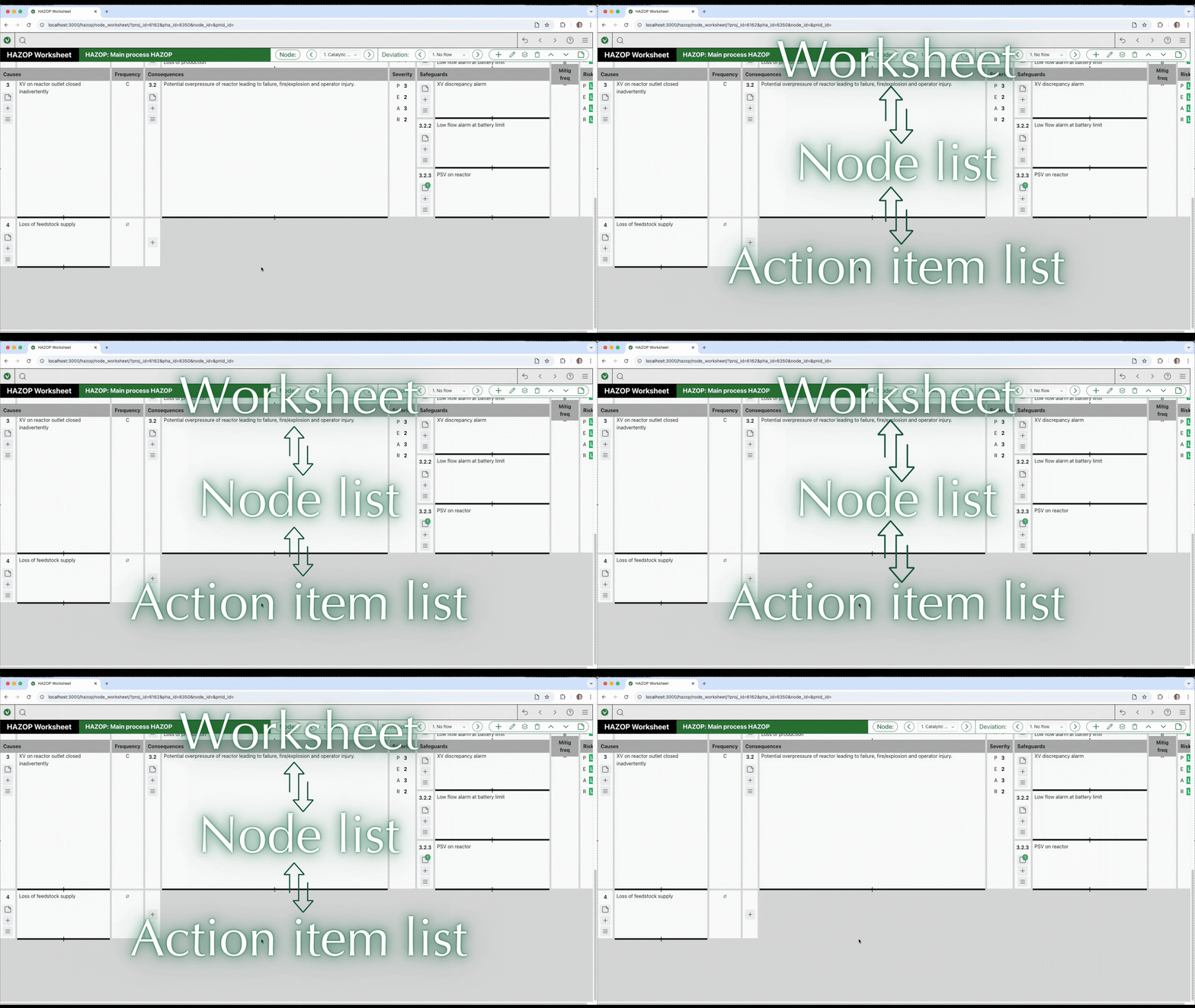
Move instantly between nodes, worksheets, and action item lists using simple forward and back navigation.
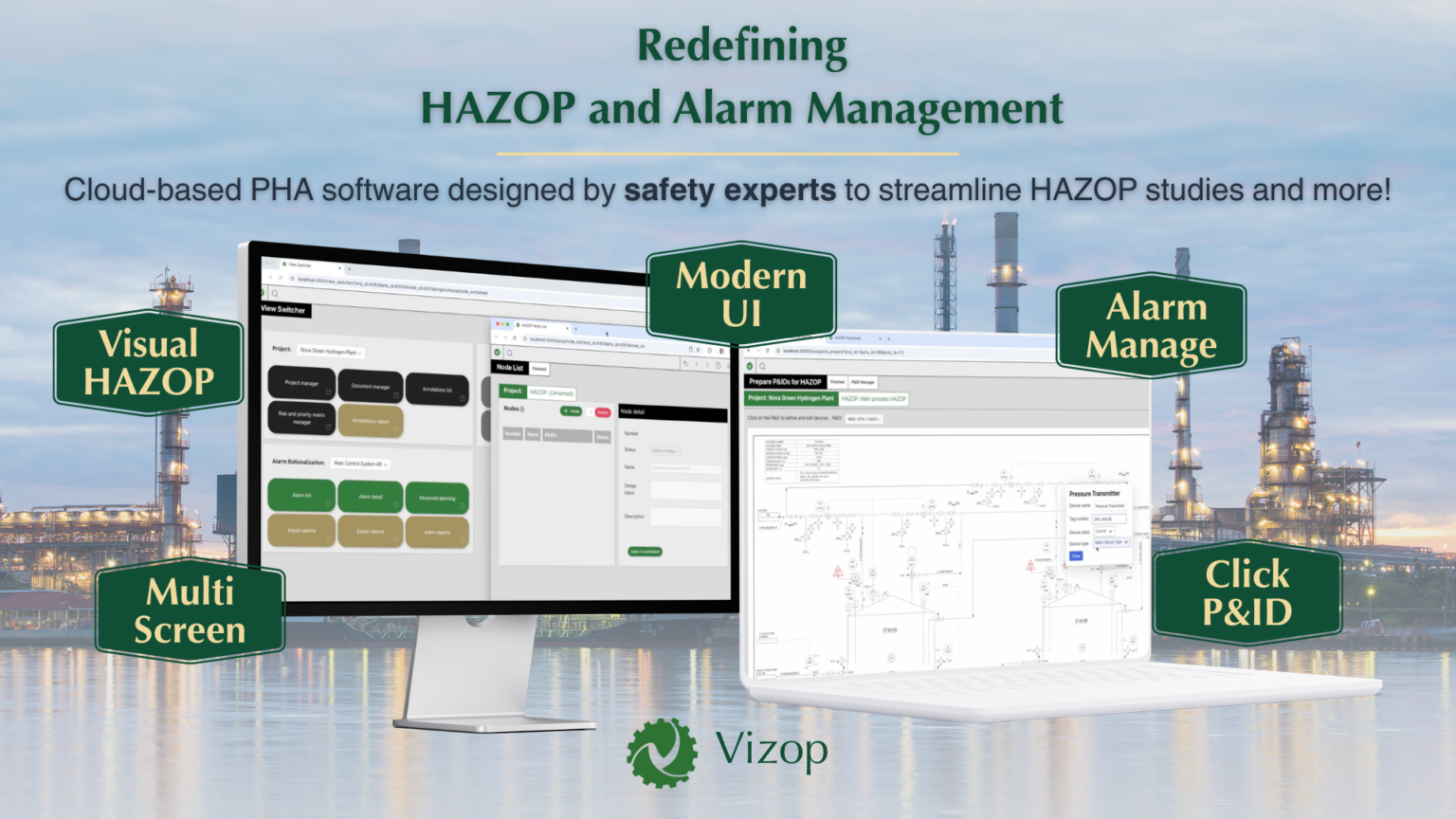
- Process Hazards Analysis (HAZOP, CHAZOP, HAZID)
- Alarm Management & Rationalization (AR)
- Designed With Modern Philosophy
- “Visual HAZOP” via Direct P&ID Integration: Instead of manually typing out tags, users can click directly on a Piping and Instrumentation Diagram (P&ID) to define a device (like a pump or sensor). In just two clicks, the device’s name and tag number are transferred to the worksheet.
- Built-in Scenario Database: Vizop includes a database of over 1,000 typical scenarios. With one click, it can automatically populate the worksheet with predefined texts for causes, consequences, and safeguards.
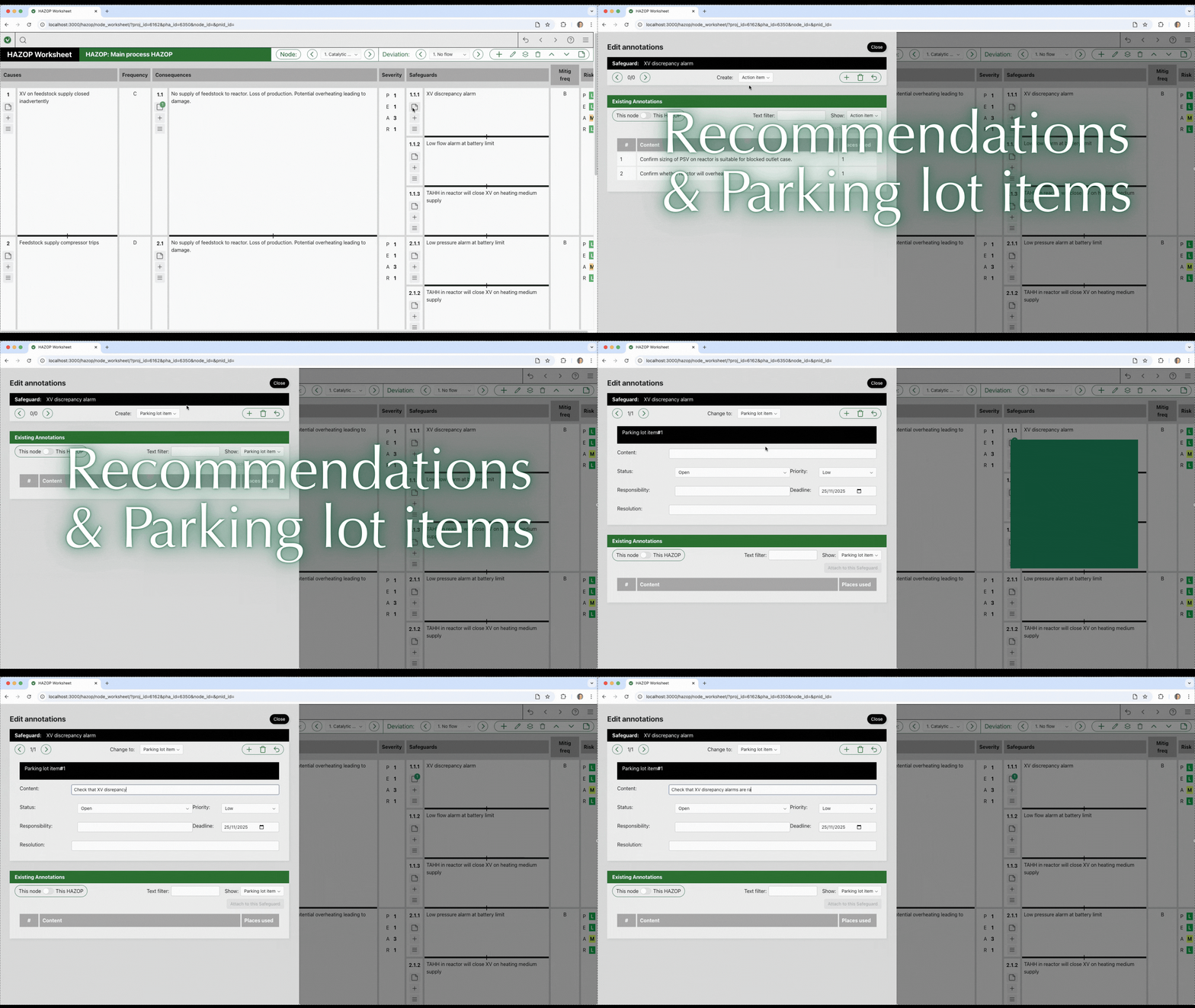
- Comprehensive Annotations: Action items (recommendations), parking lot items, hold items, and assumptions can be directly attached to any element in the worksheet (such as a specific cause or consequence).
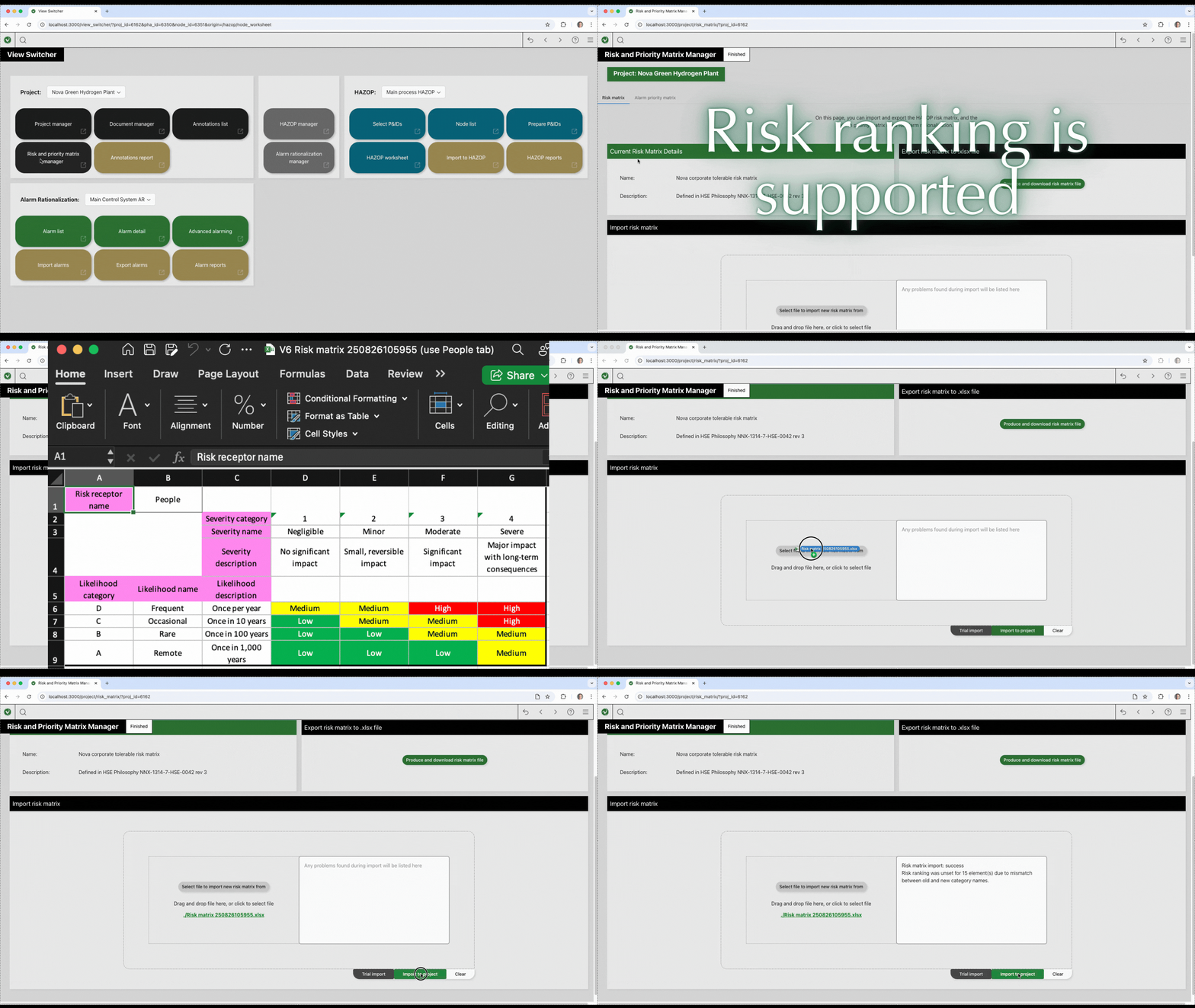
- Customizable Risk Ranking: Users can easily set up and import Risk Matrices and Priority Matrices from Excel to assign likelihood, severity, and risk levels to different scenarios.
- Massive Scale Handling: The software effortlessly imports and manages huge databases of over 10,000 alarms with zero lag or delay. It automatically handles complex imports, even when multiple alarms are listed on a single spreadsheet row.
- Advanced Alarming: Vizop fully supports setting up complex alarm behaviors designed to prevent operator fatigue, including static and dynamic (flood) suppression, first-out groups, eclipsing, and shelving.
- Bulk Editing: It features powerful tools to copy individual parameters from one alarm to many others simultaneously, drastically speeding up the alarm review process
- Fail-Safe Autosave: The software continuously autosaves every edit in the background to prevent data loss due to crashes or power outages.
- Flexible Licensing: The platform uses an online, dongle-free licensing system.
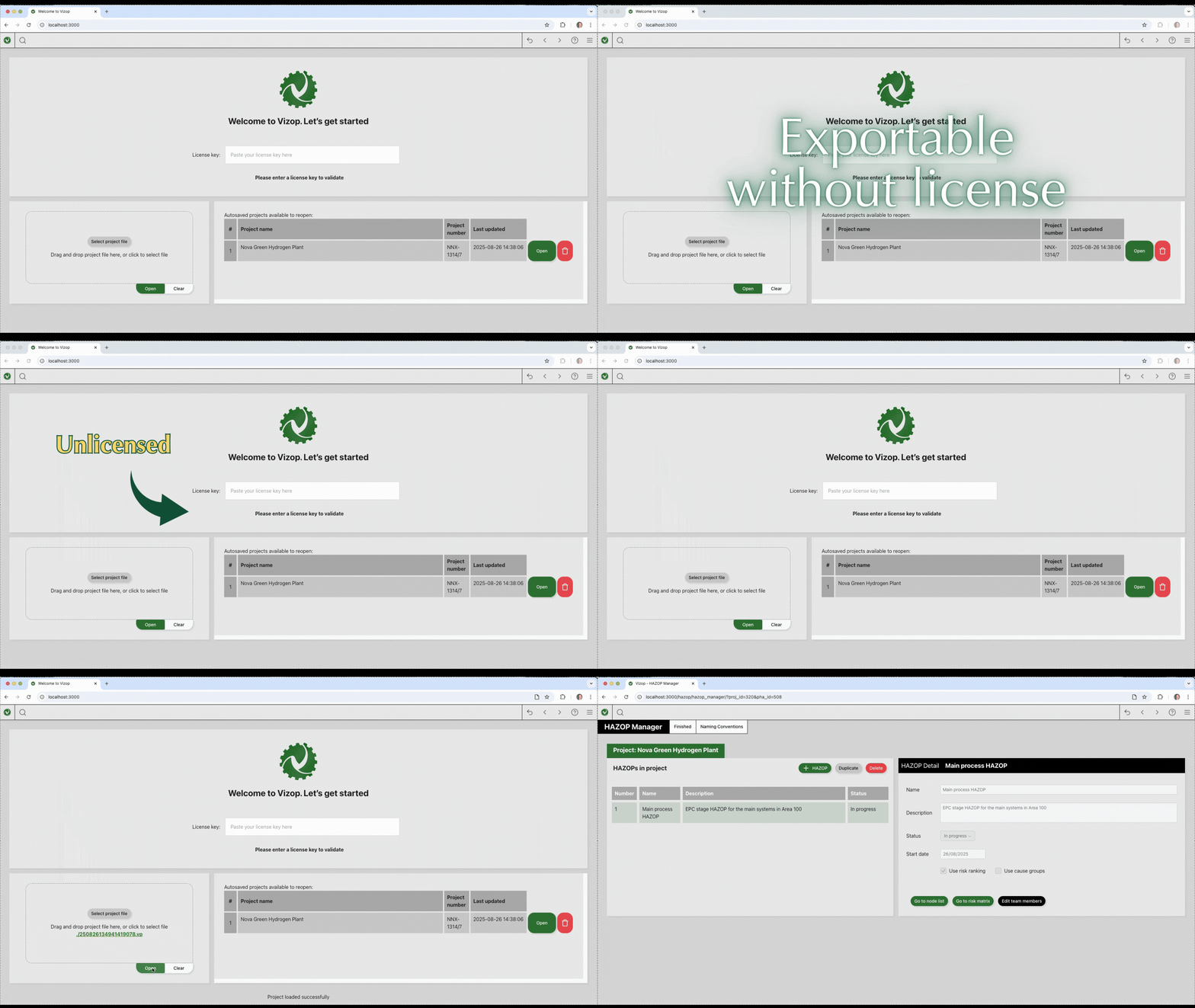
- Total Data Retention: If a user’s license expires, Vizop switches to an “unlicensed mode.” Users can still open projects, view data, and export reports, ensuring their data is never locked away.
Software That Works For You
Engineering software should make your work easier, not more complicated. Vizop was designed with simple licensing and full data ownership in mind.
- Hardware License Dongle
- Software crash / Progress unsaved
- Data lost / inaccessible after license expires
-
Dongle-Free Licensing
Vizop uses a straightforward online license validation system, eliminating the need for hardware dongles, complex license files, or IT-heavy installations. Start the software quickly and focus on your analysis.
-
Cloud-based App
Running on an old/unstable computer? Worry-free as Vizop is a cloud-based app which will autosave all your edits instantly on our secured server and can run everywhere as long as there's internet access.
-
You Always Own Your Data
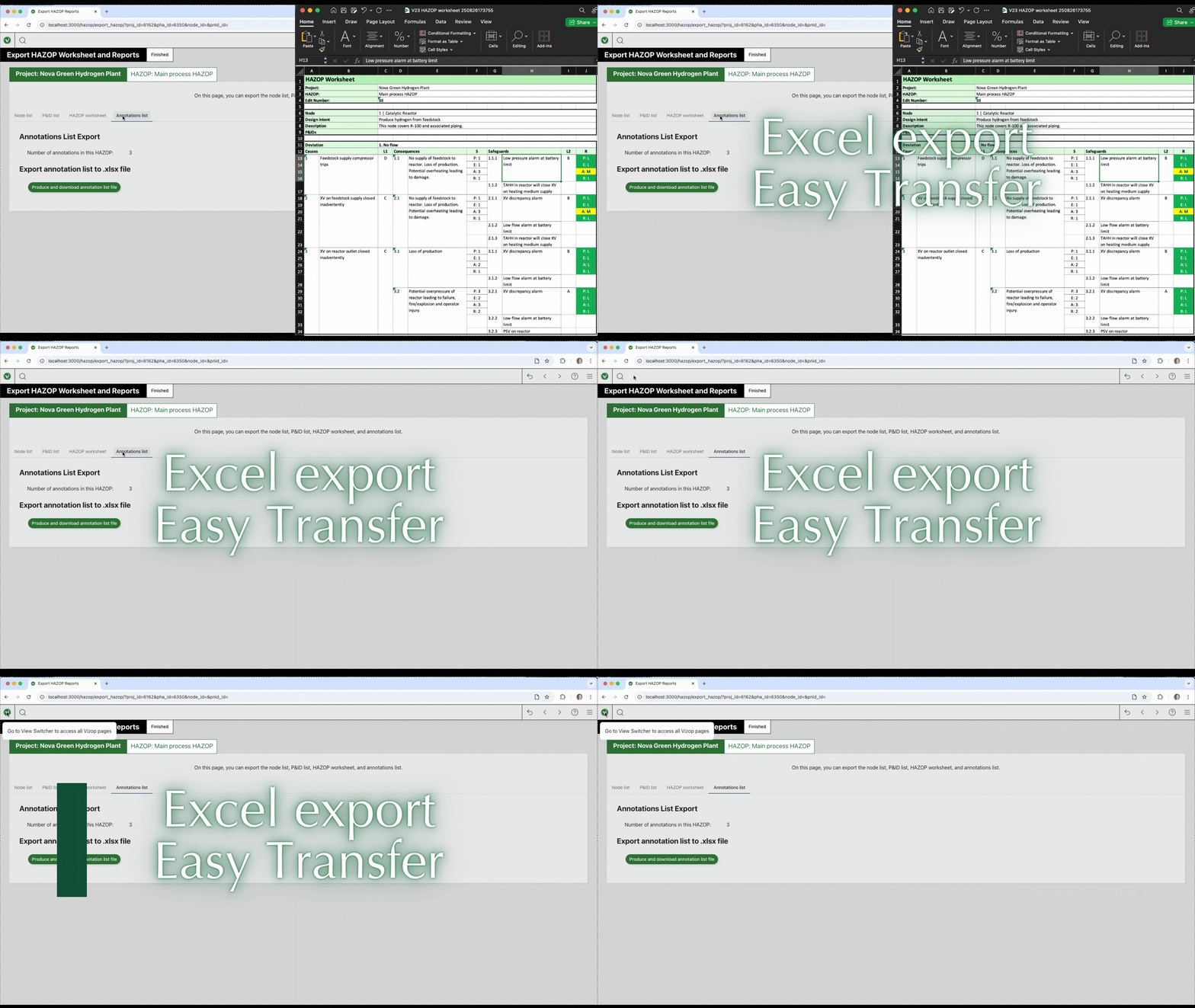
Your project data always remains accessible to you. Vizop can generate fully formatted Excel reports instantly, ready for documentation and archiving. Even if your license expires, you will still be able to open projects, view all information, and export your data whenever needed.
Why choose Vizop?
We made it, we use it
xSeriCon has years of HAZOP experience. We built Vizop to work the way we like it, and we think you will too.
Built-in database
Vizop comes with a component database including typical HAZOP causes, consequences and safeguards, with >1,000 items.
Rich in user-friendly features
Enjoy the comfort of Vizop’s many powerful features. Powerful navigation features & in-app user guidance, comprehensive report generation, import and export functions, and lots more.
Make it easier to do it right
Vizop bridges engineering precision with user-centered design. It helps teams focus on safety thinking, not formatting or chasing down files.
Easy, flexible licensing
Competitive pricing, minimal IT impact, easy license management, and efficient support—designed to integrate seamlessly with your workflows.
Flexible, Real-Time Collaboration
Vizop runs in your browser, engineers can work across multiple screens and share information instantly during team discussions.
Want to know more?
- Contact us. We’ll guide you through any questions about Vizop.
- Download the User Guide and check the extensive FAQ section there.
- Watch our introductory video on YouTube.
- Request a free trial license!
Vizop vs. Legacy PHA Tools

Make it easier to do it right
Vizop – Redefining HAZOP & Alarm Management:
- Click to create links from P&ID devices to the HAZOP worksheet
- Browser-Based Flexibility & Real-Time Collaboration
- Integrated P&ID Tooling, Engineered for Usability
- Open & Transparent Licensing
- Future-Proof Platform
Designed for the people who use it and need it
Designed to overcome the limitations of legacy PHA tools
Designed by industry experts with decades of hands-on experience
Features and advantages of Vizop
We built Vizop because safety-critical workflows were being slowed down by outdated tools, copy-pasted spreadsheets, and tedious formatting. We knew safety engineers needed something modern—a purpose-built environment that removes friction without sacrificing compliance or rigor.
Vizop is where engineering precision meets user-centered design. It’s built to help teams focus on what really matters: identifying risks, making sound decisions, and documenting them clearly — not fighting with the tool.

Click-to-Create from P&ID
Build your HAZOP worksheet by tapping directly on the P&ID—no redundant typing of equipment tag numbers
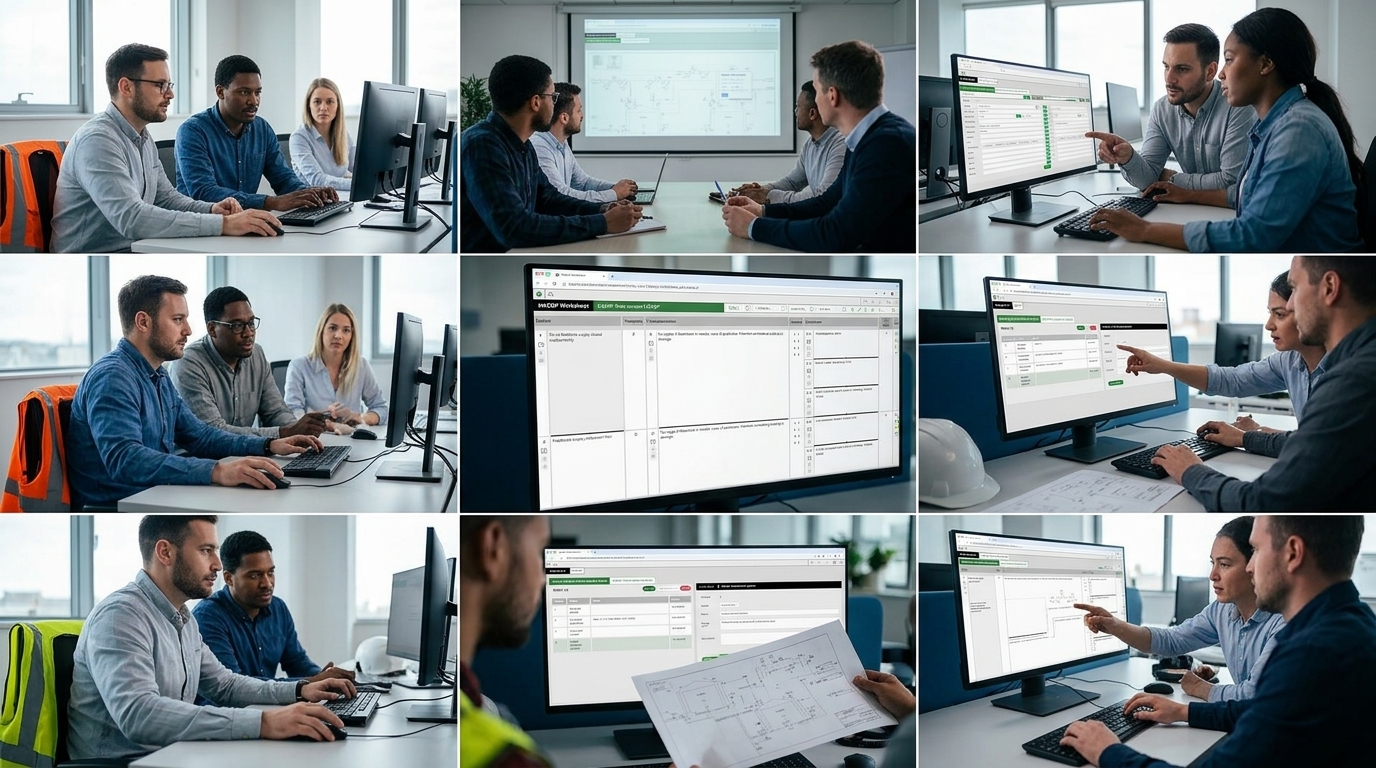
Browser-Based Flexibility
Accessible from desktop, tablet, or laptop; courtesy of a zoomable, expandable interface that supports multi-window facilitation

Real-Time Collaboration
Ideal for distributed teams—work happens collaboratively, with workshop control available across locations

Engineered for Usability
Designed to feel familiar to legacy users (Old PHA tools), but optimized with a lean, modern user interface

Future-Proof Platform
Built for extension: upcoming features include AI support, digital twin, and more integrated workflows for other safety studies

Comprehensive support
Get all the help you need from xSeriCon’s customer support, the comprehensive User Guide, and our training services.
Vizop offers even more functions to help you work quickly and accurately
Cloud based
Highly flexible
Modern UI & UX
Within 24h
Keeps Updating
PHA-P**
Desktop app
O***-PHA
Cloud based
User Guide
xSeriCon’s comprehensive guide to Vizop includes tips on all the "How to?" with an extensive FAQ section.
Watch the video
See Vizop in action as we guide you through its convenient and powerful features.
Contact us
Click here to contact xSeriCon and request a free trial license.
FAQs
Vizop is a modern Process Hazard Analysis (PHA) software tool used to document studies such as HAZOP, CHAZOP, HAZID, and Alarm Rationalization. It replaces legacy desktop software and spreadsheets with a modern browser-based workflow.
Vizop connects P&IDs directly to worksheets, allowing engineers to click devices and automatically transfer tag information into the analysis. The built-in knowledge base also provides over 1,000 predefined scenarios to accelerate documentation.
Yes. Because Vizop runs in a browser, multiple windows or tabs can be opened across multiple screens or projectors. All windows remain dynamically linked.
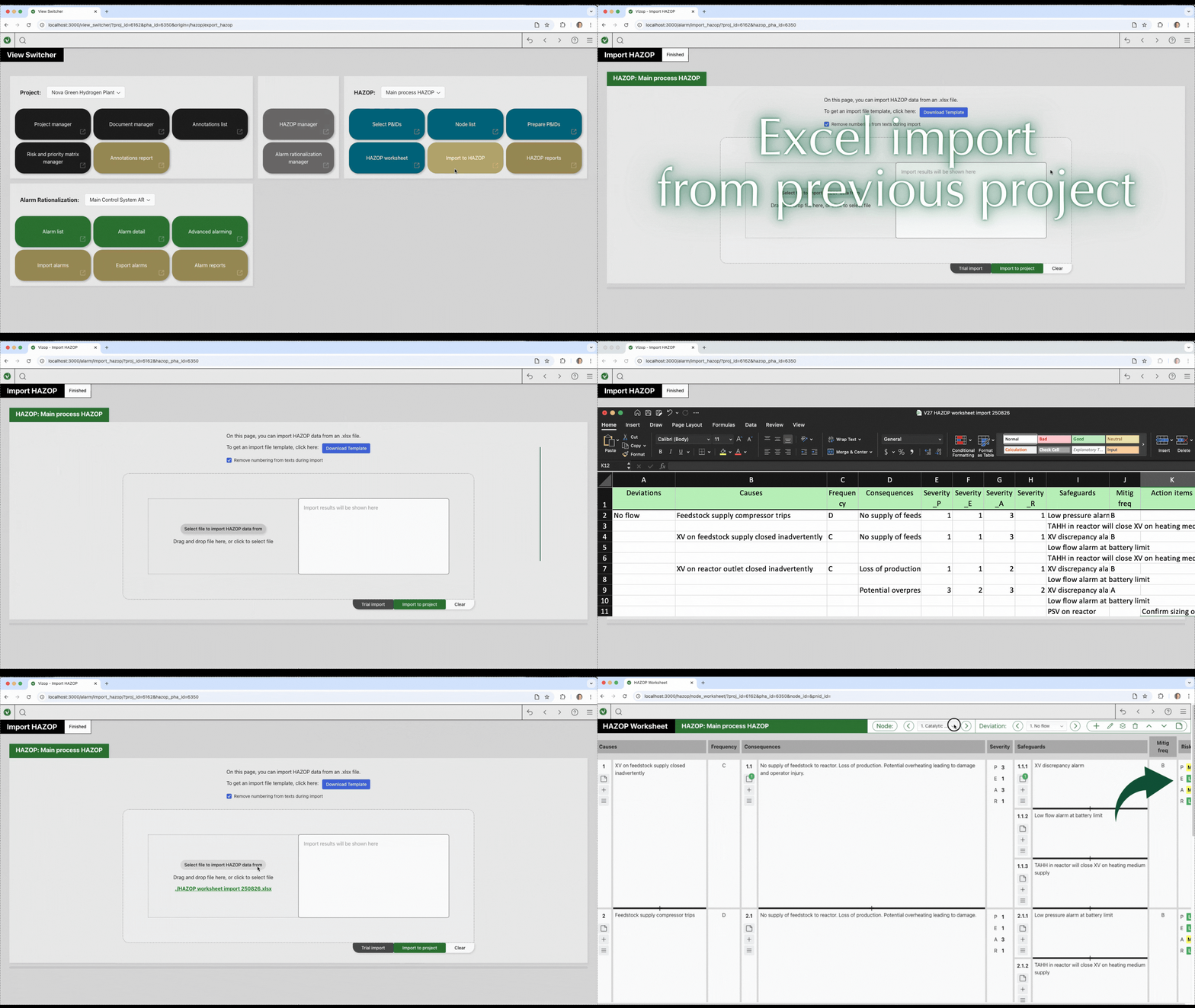
Yes. Vizop can import existing Excel-based HAZOP worksheets and alarm databases, including recommendations and risk rankings.
Yes. Vizop understands that every company evaluates risk differently. You can easily download an Excel template, edit it to match your company’s exact likelihood, severity, and risk categories, and import it directly back into Vizop to ensure full compliance with your internal standards.
Instead of forcing you to squeeze notes into rigid spreadsheet columns, Vizop uses a flexible “Annotations” system. You can seamlessly attach Action Items (recommendations), Parking Lot items, Hold items, Assumptions, and general comments directly to any specific element in your study, such as a cause or a consequence.
Never. We believe your data is always yours. If your license expires, Vizop simply switches into an “Unlicensed Mode”. In this mode, you can still open all your existing projects, view your data, and export your reports to Excel without any restrictions.
Yes, Vizop is engineered for massive scale. Whether you are rationalizing 10 alarms or over 10,000, Vizop imports them from your spreadsheets in a few clicks and continues to run smoothly with zero lag or delay. It also includes powerful bulk-editing features to copy settings across multiple alarms instantly.
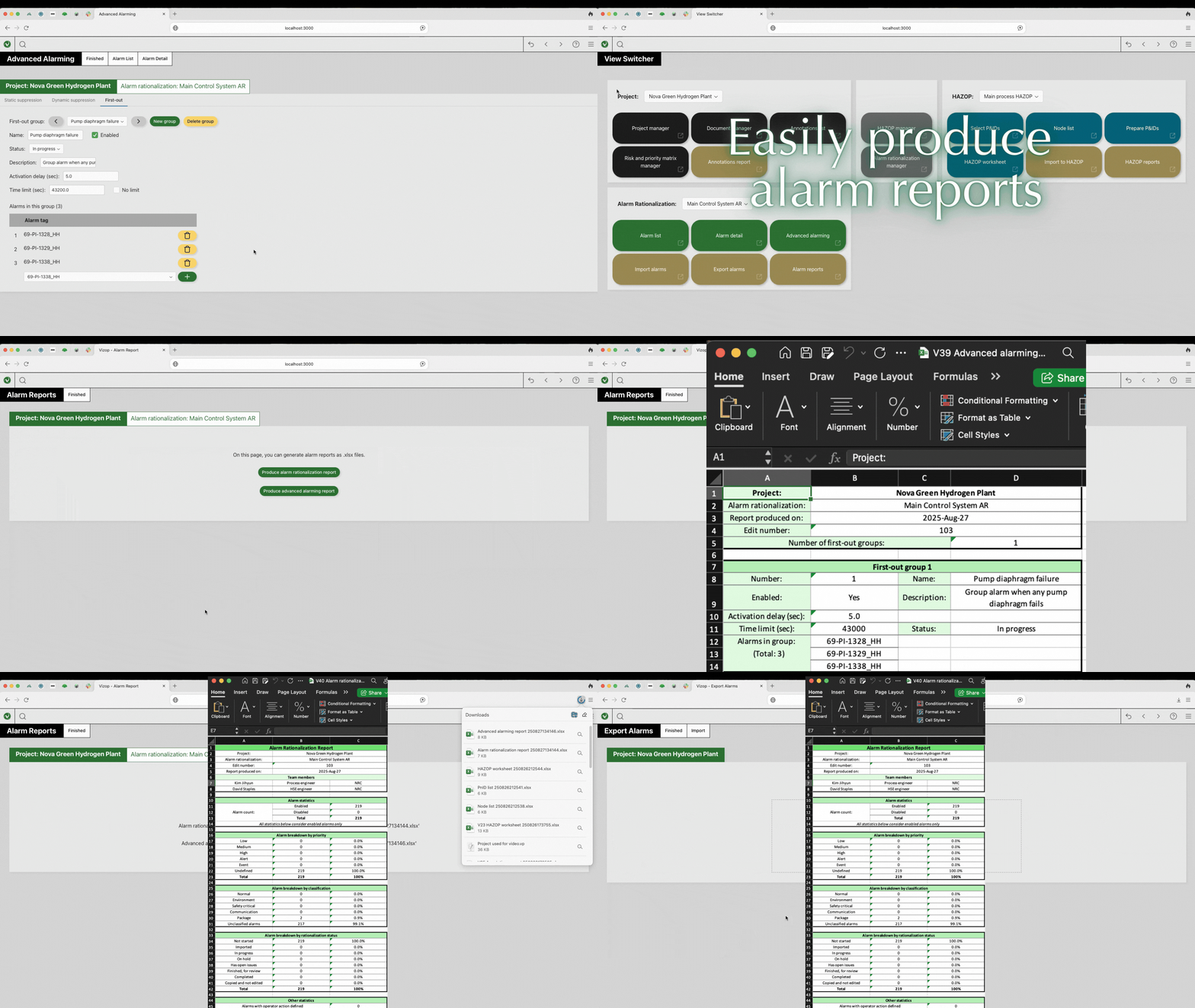
No. At the end of your study, Vizop exports your HAZOP worksheets, Node lists, Annotation lists, and Alarm Rationalization statistics directly into Excel files that are pre-formatted for an A4 page size. You can paste them into your final Word reports in seconds with zero reformatting required.